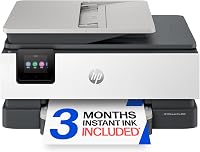
10 Best HP Printers for Home Use (October 2026)
The best HP printers for home use include the HP OfficeJet Pro 9125 for busy home offices, the HP OfficeJet Pro 8125 for home office documents, and the HP Smart Tank 5003 for frequent home printing.
On this page (5 sections)
The best HP printer for home use for most households is the HP Envy 6555. It combines everyday color printing with scanning, copying, automatic two-sided printing and an ADF for occasional multi-page paperwork.
HP's home printer range spans basic DeskJets, photo-friendly Envy models, refillable Smart Tanks and document-focused OfficeJet Pros. Your best fit depends on how often you print, whether you scan stacks of pages, and how much space you can give the printer.
If you are comparing printer types as well as brands, start with our home printer guide, which explains ink tank and cartridge inkjet choices. You can also compare wireless printers for home use and inkjet printers for home use.
Our picks at a glance
-
1

-
2
-
3
How to choose the best HP printer for home use
The best HP printer for home use matches your regular jobs, not the longest feature list. Decide first whether you print mainly short documents, photos, multi-page office work or large volumes of color.
An occasional user may value a smaller tray and simple controls more than speed or fax. A home office may save time with an ADF and automatic two-sided printing, while a household with frequent print jobs may prefer refillable tanks.
Paper capacity is a practical clue to fit. The DeskJets hold 60 sheets, the Envy models listed here hold 100, and the OfficeJet Pro models and Envy 7955e have more room or a separate photo tray for distinct jobs.
Ink format should be part of the decision before you buy. The Smart Tank 5003 and Smart Tank Plus 570 use refillable bottles, while the cartridge models use specified HP cartridges; HP says several cartridge models block cartridges without original HP chips or circuitry.
Consider the space and connections you have available. The OfficeJet Pro models are larger office-style machines, while the DeskJet picks are compact; wireless printing is supported across these picks, and some models also have Ethernet or USB connections.
Our ratings reflect how each printer's functions, paper handling and ink setup fit common home tasks. A high-capacity office machine earns its place for frequent paperwork, but it can be unnecessary for a household that prints a few pages at a time.
| Product | Best for | Functions | Paper handling | Duplex | Our score |
|---|---|---|---|---|---|
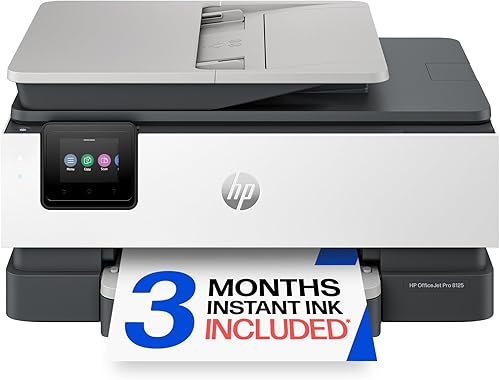
| HP OfficeJet Pro 9125 | busy home offices | Print, scan, copy and fax | ADF and 250-sheet input tray | Automatic two-sided print and scan | 8.5 |
| HP OfficeJet Pro 8125 | home office documents | Print, scan and copy | ADF and 225-sheet input tray | Automatic two-sided printing | 8.4 |
| HP Smart Tank 5003 | frequent home printing | Print, copy and scan | 8.0 | ||
| HP Envy 6555 | everyday home use | Print, scan and copy | 35-sheet ADF and 100-sheet input tray | Automatic two-sided printing | 7.8 |
| HP Envy 6155 | simple home tasks | Print, scan and copy | 100-sheet input tray | Automatic two-sided printing | 7.7 |
| HP OfficeJet Pro 8135 | fax and document feeding | Print, scan, copy and fax | ADF and 225-sheet input tray | Automatic two-sided printing | 7.6 |
| HP Envy Inspire 7955e | family photos and projects | ADF | Automatic two-sided printing | 7.6 | |
| HP Smart Tank Plus 570 | long print runs | Print, copy and scan | 7.4 | ||
| HP DeskJet 4355 | basic printing with an ADF | Print, copy and scan | 60-sheet input tray | 7.2 | |
| HP DeskJet 2923 | occasional printing | Print, copy and scan | 60-sheet input tray | 6.9 |
The best HP printers for home use
The best choice changes with the job: OfficeJet Pro models handle heavier documents, Smart Tanks suit frequent printing, and Envy or DeskJet models cover everyday household needs. The picks below are ordered by score.
HP OfficeJet Pro 9125: Best for busy home offices
- Print, scan, copy and fax
- Automatic two-sided print and scan
- ADF and 250-sheet input tray
- Up to 22 ppm black and 18 ppm color
The 9125 combines fax, an ADF, automatic two-sided scanning and a 250-sheet tray for a home office with frequent document work.
Pros
- Fastest stated print speeds among these picks
- Automatic two-sided scanning
- Fax and 250-sheet tray
Cons
- Its office-focused feature set may be more than a basic home printer needs
- Uses HP 936 cartridges
The OfficeJet Pro 9125 is the strongest fit for a busy home office. It combines fax, an ADF, automatic two-sided scanning and a 250-sheet input tray, so it can handle regular batches of paperwork without constant paper loading.
HP states speeds of up to 22 pages per minute in black and 18 in color. The 2.7-inch color touchscreen provides local controls, and the HP app supports printing, scanning, copying and faxing from a smartphone.
Choose this model if your household handles multi-page forms, scans both sides of documents or still uses fax. Skip it for occasional lists and homework, where its office-focused features and HP 936 cartridges may be more than you need.
The OfficeJet Pro 8125 is a less feature-heavy alternative if fax and automatic two-sided scanning are not priorities. Compare the OfficeJet Pro 8125 and 9125 to decide whether the higher paper capacity and scanning features matter for your work.
HP OfficeJet Pro 8125: Best for home office documents
- Print, scan and copy
- Automatic two-sided printing
- ADF and 225-sheet input tray
- Up to 20 ppm black and 10 ppm color
The 8125 handles regular home office documents with an ADF, automatic two-sided printing and a 225-sheet tray.
Pros
- ADF for multi-page documents
- Automatic two-sided printing
- 225-sheet input tray
Cons
- No fax function is specified
- Uses HP 923 cartridges
The OfficeJet Pro 8125 is a capable middle ground for a home office that needs a document feeder and a large tray. It has automatic two-sided printing, a 225-sheet input tray and an ADF for multi-page jobs.
HP states print speeds up to 20 pages per minute in black and 10 in color. Its 2.7-inch touchscreen and HP app support common print, scan and copy tasks from a computer or smartphone.
Choose the 8125 for reports, forms and regular work documents when fax is not required. Skip it if you mostly print occasional pages, or if automatic two-sided scanning and fax would justify choosing the 9125 instead; it uses HP 923 cartridges.
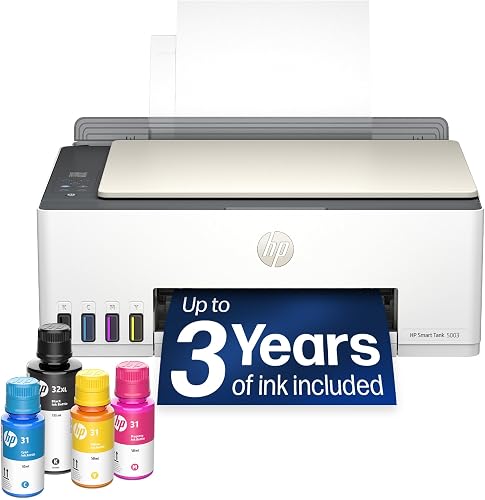
HP Smart Tank 5003: Best for frequent home printing
- Refillable ink tanks
- Print, copy and scan
- Up to 3 years of HP ink included
- Up to 6,000 color or black pages included
The refillable tank design and included ink suit homes that print often and want to avoid frequent cartridge changes.
Pros
- Refillable, cartridge-free ink system
- Wireless and mobile printing
- HP states up to 6,000 color or black pages included
Cons
- Slower stated speeds than the OfficeJet Pro models
- Duplex is manual with driver support
The Smart Tank 5003 suits a home that prints frequently and wants refillable ink tanks. HP includes ink and states that it can print up to 6,000 color or black pages from the bottles in the box.
It prints, copies and scans, supports wireless and mobile printing, and can make borderless prints. HP says the bottles drain into the tanks without squeezing, a useful detail if you expect to refill rather than replace cartridges.
HP states speeds up to 10 pages per minute in black and 5 in color. Duplex printing is manual with driver support, so choose another pick if you print two-sided documents often and want the printer to turn pages automatically.
This is a good fit for schoolwork, household forms and hobby pages that add up over time. Skip it if you print only a few pages now and then or want fast color output; the HP Smart Tank ink guide explains the HP 31 and 32XL bottle types.
HP Envy 6555: Best for everyday home use

- Print, scan and copy
- Automatic two-sided printing
- 35-sheet ADF and 100-sheet input tray
- P3 color technology
The Envy 6555 balances everyday documents and photos with an ADF, automatic two-sided printing and a compact 100-sheet tray.
Pros
- ADF for multi-page scanning and copying
- Automatic two-sided printing
- P3 color technology for documents and photos
Cons
- Slower stated speeds than the OfficeJet Pro models
- Uses HP 68 cartridges
The Envy 6555 is the balanced pick for many households that print documents, homework and occasional photos. It adds an ADF for multi-page scanning and copying, automatic two-sided printing, and a 100-sheet input tray.
Its stated speeds are up to 10 pages per minute in black and 7 in color. A 2.4-inch color touchscreen provides local controls, and wireless and mobile printing support jobs from phones and computers.
HP describes its P3 technology as producing vibrant-looking documents and photos. Choose the 6555 if you want an everyday all-in-one with a feeder; skip it if your main need is heavy office printing, low-cost high volume, or a dedicated photo workflow.
It uses HP 68 cartridges, and HP says it blocks cartridges that do not use original HP chips or circuitry. If you rarely scan multiple pages, the Envy 6155 has a simpler feature set.
HP Envy 6155: Best for simple home tasks

- Print, scan and copy
- Automatic two-sided printing
- 100-sheet input tray
- Wireless and mobile printing
The Envy 6155 covers everyday home documents and photos with wireless printing and automatic two-sided printing.
Pros
- Automatic two-sided printing
- Wireless and mobile printing
- Color touchscreen
Cons
- No ADF is specified
- Uses HP 68 cartridges
The Envy 6155 covers everyday home printing, scanning and copying without an ADF. It holds up to 100 sheets and automatically prints on both sides, making it a straightforward fit for lists, homework and occasional color pages.
HP states speeds up to 10 pages per minute in black and 7 in color. The model supports wireless and mobile printing and has a 2.4-inch color touchscreen.
Choose it if you do not regularly scan stacks of papers and want automatic duplex printing. Skip it if multi-page copying is part of your routine, since placing each page on the glass takes more time than feeding a stack; it uses HP 68 cartridges.
HP OfficeJet Pro 8135: Best for fax and document feeding

- Print, scan, copy and fax
- ADF and 225-sheet input tray
- Automatic two-sided printing
- Up to 20 ppm black and 10 ppm color
The 8135 adds fax to a home office setup with an ADF, automatic two-sided printing and a 225-sheet tray.
Pros
- Fax, scan and copy functions
- ADF and 225-sheet input tray
- Automatic two-sided printing
Cons
- Office-focused features may be unnecessary for light home printing
- Uses HP 923 cartridges
The OfficeJet Pro 8135 suits a home office that needs fax and document feeding. It combines an ADF, a 225-sheet tray and automatic two-sided printing with print, scan, copy and fax functions.
Its stated print speeds match the 8125 at up to 20 pages per minute in black and 10 in color. A 2.7-inch touchscreen and the HP app support common printer tasks around a home office.
Choose it if fax is part of your workflow. It also suits you if you scan or copy multi-page documents.
Skip it for light home printing; if fax is unnecessary, the 8125 offers similar stated speeds and paper handling. The 8135 uses HP 923 cartridges.
HP Envy Inspire 7955e: Best for family photos and projects
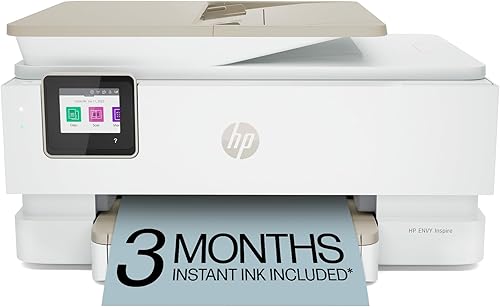
- Automatic two-sided printing
- Separate photo tray
- ADF
- Borderless photos and creative projects
The Envy Inspire 7955e fits households that print photos and creative projects as well as documents, with a separate photo tray and ADF.
Pros
- Separate photo tray
- Borderless photo printing
- ADF and automatic two-sided printing
Cons
- Larger than the basic DeskJet options
- Uses HP cartridges with HP chips or circuitry
The Envy Inspire 7955e is the photo-focused pick for homes that also print documents and creative projects. A separate photo tray keeps photo paper ready, and the printer supports borderless photos, an ADF and automatic two-sided printing.
HP states speeds up to 15 pages per minute in black and 10 in color. HP also says the model supports photo paper sizes including 5 x 5 in square and 4 x 12 in panoramic, with custom photo features in the app.
Choose it if you print family photos, crafts or varied paper sizes alongside everyday documents. Skip it if your work is mostly forms and reports, where an OfficeJet Pro's larger paper tray may be more useful; the 7955e uses HP cartridges with HP chips or circuitry.
HP Smart Tank Plus 570: Best for long print runs

- Refillable ink tanks
- Print, copy and scan
- Up to 2 years of HP ink included
- Up to 8,000 color or 6,000 black pages included
The Smart Tank Plus 570 is another refillable option for high-volume home printing, with wireless printing and included ink.
Pros
- Cartridge-free refillable ink system
- Wireless and mobile printing
- HP states up to 8,000 color or 6,000 black pages included
Cons
- Manual two-sided printing
- Stated color speed is 5 ppm
The Smart Tank Plus 570 is another refillable choice for frequent home printing. HP includes up to 2 years of ink and states that the included bottles can print up to 8,000 color pages or 6,000 black pages.
It prints, copies and scans, supports wireless and mobile printing, and can make borderless prints. HP describes its refill system as mess-free, with bottles that drain into the tanks without squeezing.
The stated speeds are up to 11 pages per minute in black and 5 in color. Duplex printing is simplex, so you need to turn pages yourself for two-sided jobs.
Choose it if refillable tanks and included ink matter more than automatic duplex. Skip it if you print two-sided documents often or need quick color output; the Smart Tank 5003 is another tank option with its own included-ink claim and manual duplex.
HP DeskJet 4355: Best for basic printing with an ADF

- Print, copy and scan
- 60-sheet input tray
- Wireless and mobile printing
- Compact design
The DeskJet 4355 covers basic home documents and includes an ADF for scanning and copying multi-page papers.
Pros
- Compact design
- Wireless and mobile printing
- ADF for scanning and copying
Cons
- 60-sheet input tray
- Stated print speeds are lower than the OfficeJet Pro models
The DeskJet 4355 is a basic home printer with an ADF, a useful combination for occasional multi-page scanning and copying. It holds 60 sheets, supports wireless and mobile printing, and uses an icon LCD control panel.
HP states speeds up to 7.5 pages per minute in black and 5.5 in color. The compact design makes it a fit for a smaller desk or shelf where a home office machine would take up more space.
Choose it for lists, letters, recipes and occasional paperwork when you still want a feeder for scanning. Skip it if you print often or need a large tray and faster document output; the OfficeJet Pro models are better equipped for that work.
HP DeskJet 2923: Best for occasional printing

- Print, copy and scan
- 60-sheet input tray
- Wireless and mobile printing
- Up to 7.5 ppm black and 5.5 ppm color
The DeskJet 2923 covers basic lists, letters and recipes with wireless printing and a 60-sheet tray.
Pros
- Compact home-focused design
- Wireless and mobile printing
- Print, copy and scan
Cons
- 60-sheet input tray
- Manual duplex with driver support
The DeskJet 2923 is a simple pick for a home that prints now and then. It prints, copies and scans, holds 60 sheets, and supports wireless and mobile printing for everyday documents such as lists, letters and recipes.
HP states speeds up to 7.5 pages per minute in black and 5.5 in color. The icon LCD provides basic controls, and duplex printing is manual with driver support.
Choose it when basic functions, wireless printing and a compact design cover your needs. Skip it if you regularly scan multiple pages, print two-sided jobs or run large batches; the DeskJet 4355 adds an ADF, while the OfficeJet Pro range has larger trays.
Which HP printer fits your home routine?
Match the printer to your monthly habits: refillable tanks suit frequent printing, ADFs help with document stacks, and photo trays matter if photo paper is a regular part of your routine. You do not need office capacity for a handful of pages each week.
Is a Smart Tank the best HP printer for frequent home use?
A Smart Tank is a strong fit when you print often and want refillable tanks with ink included. The 5003 and Smart Tank Plus 570 both print, copy and scan, but neither automatically prints both sides.
HP gives “up to” page estimates for the included ink. Treat these as a guide to relative capacity, not a promise of a fixed number of months, since your print mix and frequency affect how quickly ink runs out.
If ink use is your main concern, read our guide to printers with cheap ink and compare refillable tanks with cartridge options. Check the compatible bottle numbers for the exact model before buying.
When does an ADF matter on an HP home printer?
An ADF matters when you scan or copy several pages in one job. The OfficeJet Pro 9125, 8125 and 8135 have one, as do the Envy 6555 and Envy Inspire 7955e.
For single-page documents, a flatbed scanner can be enough. If you are deciding whether a feeder will save you time, our guide explains what an ADF on a printer does.
Which HP printer is best for home photo printing?
The Envy Inspire 7955e is the clearest choice here for frequent home photo projects because it has a separate photo tray and supports borderless prints. The Envy 6555 and 6155 are reasonable alternatives for households that print photos alongside documents.
Choose around the sizes and frequency you actually use. The Inspire supports 5 x 5 in square and 4 x 12 in panoramic photo paper according to HP, while an everyday Envy may be enough for occasional color prints.
Is a DeskJet enough for occasional home printing?
A DeskJet is enough when your regular jobs are basic color pages such as lists, letters and recipes. Both picks print, copy and scan, and the 4355 adds an ADF for scanning or copying several pages.
Skip the DeskJet range if you print frequent batches, need fast color output or want automatic duplex on the 2923. The OfficeJet Pro models offer larger trays and higher stated speeds for recurring office work.
How should you set up and care for an HP home printer?
A careful first setup helps prevent avoidable connection, paper and ink problems. Give the printer a stable place, follow the model's setup guide, and connect it to the same home network used by the phones and computers that will send jobs.
For wireless setup, install the ink or fill the tanks as directed, load the paper, then use the printer's screen or HP app to complete the connection. Keep the network password nearby, and run a small test page before sending a long document.
Load paper neatly and set the paper size in the print dialog. If the driver is set to a different size than the sheets in the tray, the printer may crop content or pause for a paper mismatch.
For refillable models, use the compatible bottles and follow the refill instructions. Keep bottle labels and printer model information together so you can identify the correct ink when a tank needs attention.
Cartridge models in this guide use specific HP cartridge families. Check the model before buying replacement ink, especially if moving between Envy and OfficeJet Pro models, which use different cartridge numbers.
If an inkjet sits unused for long stretches, occasional printing can help keep it ready for normal use. If a page comes out blank or a color is missing, check ink levels and the printer's maintenance options; our guide to blank pages from a printer covers common causes.
What mistakes should you avoid when choosing an HP printer?
The most common mistake is choosing by speed alone. A fast printer does not help much if you need a document feeder, and a tank system may not suit a household that prints only a few pages at a time.
Another mistake is assuming every model has the same duplex features. The 9125 scans and prints both sides automatically, several other models automatically print both sides, and the Smart Tank 5003 and Smart Tank Plus 570 require manual page handling.
Do not overlook ink compatibility or subscription terms. The cartridge models have specific HP cartridge families, and several include a trial of Instant Ink that becomes a paid monthly plan unless cancelled after the trial.
Finally, measure the shelf or desk before choosing an office-style printer. The OfficeJet Pro models have larger paper trays and document features, but a compact DeskJet or Envy may fit a small home workspace more comfortably.
Which HP printer should you choose?
Choose the Envy 6555 for balanced everyday home use, the OfficeJet Pro 9125 for heavy document work, and the Smart Tank 5003 for frequent printing with refillable ink. Pick the Envy Inspire 7955e for frequent photo projects, or a DeskJet when basic tasks are enough.
If you are still comparing brands, our guide to HP vs Epson printers for home use lays out the broader choice. For a household that prints work documents regularly, compare the best printers for a home office before you decide.
Our top 3 picks at a glance
-
1
-
2
-
3
Frequently asked questions
Which HP printer is best for most homes?
The HP Envy 6555 is a balanced choice for everyday home documents and photos. It prints, scans and copies, adds automatic two-sided printing and includes a 35-sheet ADF.
Choose an OfficeJet Pro if you need a larger paper tray or faster stated print speeds, or a Smart Tank if you print often.
Are HP Smart Tank printers good for home use?
Yes, an HP Smart Tank can suit a home that prints frequently. The 5003 and Smart Tank Plus 570 use refillable ink tanks and include HP ink, with HP stating up to 3 years for the 5003 and up to 2 years for the 570.
Check the included ink and supported bottle numbers for the model you choose.
Which HP printer is best for home office documents?
The OfficeJet Pro 9125 is a strong fit for heavier home office document work. It has an ADF, a 250-sheet input tray, automatic two-sided print and scan, and fax.
The 8125 has an ADF and a 225-sheet tray if you do not need fax.
Can HP Envy printers print photos?
Yes. The Envy 6555 and Envy 6155 support home photo printing, and the Envy Inspire 7955e adds a separate photo tray and borderless photo features.
For frequent photo projects, compare the paper sizes and photo workflow you need before choosing.
Do HP printers work with non-HP ink?
Several cartridge models in this guide are intended to work only with cartridges that use original HP chips or circuitry, and periodic firmware updates maintain that measure. The Smart Tank models use refillable HP ink bottles.
Check the ink system and compatible supplies for the exact model before buying.