9 Best Wireless Printers for Home Use (October 2026)
The best wireless printers for home use include the Epson EcoTank ET-2803 for frequent home printing, the Canon PIXMA TS6520 for light daily printing, and the Canon PIXMA TR4720 for home fax needs.
On this page (5 sections)
The best wireless printer for home use depends on your print volume and the jobs you do most. The Epson EcoTank ET-2803 is the strongest match for regular printing, while Canon, Brother and HP models cover lighter document use, photos, scanning and faxing.
A wireless all-in-one can print from a phone or computer and handle scanning or copying without a separate device. The right choice comes down to ink type, paper handling and whether you need extras such as a document feeder or fax.
Our picks at a glance
-
1
-
2

-
3

How we chose wireless printers for home use
The best wireless printers for home use should match your print volume, devices and need for scanning or copying. We compared the listed features and specs, giving weight to refillable ink, mobile support and tools that reduce manual work.
Models with clear wireless printing support fit households that send jobs from a phone, tablet or computer. Document feeders matter for multi-page scans, automatic duplex saves page turning, and larger paper trays reduce how often you reload during a busy week.
Ink type changes the long-term fit. Refillable tanks suit higher print volumes, while cartridge models can work well for occasional pages or buyers who prefer replaceable cartridges.
Our guide to printers with cheap ink explains what to consider when comparing ongoing ink needs.
Scores reflect how each set of features fits common home tasks. They are not a measure of print quality from personal use.
Wireless home printer comparison
These picks range from a refillable tank model to compact cartridge all-in-ones. Compare ink type, document handling and phone support before choosing by brand or display.
| Product | Best for | Ink system | Functions | Mobile printing | Our score |
|---|---|---|---|---|---|
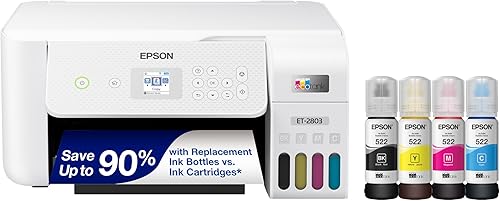
| Epson EcoTank ET-2803 | frequent home printing | Refillable tanks | Print, scan, copy | AirPrint, Epson Smart Panel app | 8.5 |
| Canon PIXMA TS6520 | light daily printing | 2-cartridge hybrid ink | Print, scan, copy | Canon PRINT app, AirPrint, Mopria | 8.3 |
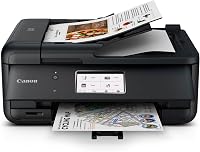
| Canon PIXMA TR4720 | home fax needs | Cartridges | Print, copy, scan, fax | 8.2 | |
| Canon PIXMA TR7120 | multi-page scanning | 2-cartridge hybrid ink | Print, scan, copy | Canon PRINT app, AirPrint, Mopria | 8.1 |
| Brother Work Smart 1360 | paperwork at home | Cartridges | Print, scan, copy | Brother Mobile Connect app, AirPrint, Mopria | 8.0 |
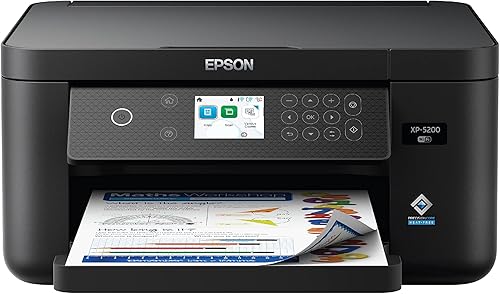
| Epson Expression Home XP-5200 | borderless photo printing | Individual cartridges | Print, scan, copy | Wireless printing from Android and iOS | 7.8 |
| Canon PIXMA TS7720 | touchscreen controls | 2-cartridge hybrid ink | Print, scan, copy | Wireless printing from mobile devices | 7.7 |
| Brother Work Smart 1410 | cloud-connected offices | Cartridges | Print, copy, scan, fax | 7.6 | |
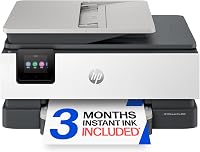
| HP DeskJet 4355 | simple household tasks | Cartridges | Print, copy, scan | HP app | 7.2 |
The best wireless printers for home use
The Epson EcoTank ET-2803 leads for regular home printing, while the other models suit specific needs such as phone printing, multi-page scans and basic household tasks. Use each pick's tradeoffs to narrow the list to your routine.
Epson EcoTank ET-2803: Best for frequent home printing
- Refillable ink tanks
- Up to 4,500 black and 7,500 color pages per replacement set
- AirPrint and Epson Smart Panel support
Refillable tanks and high stated page yields suit households that print often. It also scans and copies, with AirPrint and the Epson Smart Panel app for mobile printing.
Pros
- Cartridge-free tank design
- High stated page yield per replacement set
- AirPrint support
Cons
- Simplex printing
- Color display rather than a touchscreen
The EcoTank ET-2803 is the strongest fit here if your household prints on a steady basis. Its refillable ink tanks replace cartridges, and Epson states that a replacement ink set yields up to 4,500 black pages and 7,500 color pages.
It prints, scans and copies, with a flatbed scanner and color display for basic controls. Wireless options include AirPrint, voice-activated printing and the Epson Smart Panel app.
The included ink is stated to last up to 2 years at about 125 pages per month. Your actual use depends on how much you print and whether those pages are mostly text or color.
The main limitation is that it prints on one side at a time, so duplex jobs require manual page handling. Pick it if you print frequently and value the tank system; skip it if automatic two-sided printing is a must.
For a broader look at tank models, read our ink tank printer guide.
Canon PIXMA TS6520: Best for light daily printing
- Automatic two-sided printing
- Dual-band Wi-Fi
- Canon PRINT app, AirPrint and Mopria
This compact all-in-one pairs mobile printing with automatic two-sided printing. It fits everyday documents and photos when you do not need a document feeder.
Pros
- Automatic two-sided printing
- Supports AirPrint and Mopria
- OLED status display
Cons
- No automatic document feeder
- Two-cartridge ink system
The Canon PIXMA TS6520 suits a home that needs an all-in-one for occasional documents and photos. Its compact design can fit a desk or shelf, and it handles print, scan and copy jobs.
Automatic two-sided printing reduces manual page flipping, and the 1.42-inch OLED display shows ink levels and printer status. Canon lists dual-band Wi-Fi plus printing through the Canon PRINT app, AirPrint and Mopria.
The two-cartridge hybrid ink system is a practical distinction from the EcoTank above. The TS6520 has no automatic document feeder, so scanning a stack means placing pages on the scanner one at a time.
Choose it for phone-friendly everyday printing and duplex output without a document feeder. Skip it if multi-page scans are routine or you want refillable tanks.
Canon PIXMA TR4720: Best for home fax needs
- Print, copy, scan and fax
- Automatic document feeder
- Automatic two-sided printing
The TR4720 adds fax and an automatic document feeder to a home all-in-one. Its wireless and mobile printing support suit mixed home and document tasks.
Pros
- Four functions including fax
- Automatic document feeder
- Automatic two-sided printing
Cons
- Cartridge-based ink
- Slower stated color speed than black
The Canon PIXMA TR4720 is a useful match for home users who want faxing along with printing, copying and scanning. Its automatic document feeder handles multi-page scanning and copying, while automatic two-sided printing cuts down on manual page turns.
Wireless connectivity lets you print from a computer or mobile device, and the printer works with Canon apps. It has a 100-sheet capacity and can print documents and borderless photos up to 8.5 x 11 inches.
This is a cartridge printer, so it fits a different routine from the refillable-tank ET-2803. Consider your print volume before choosing a cartridge model, and see our Canon PIXMA TR4720 review for a closer look.
Choose the TR4720 if fax and a document feeder are useful at home. Skip it if you will never fax and want a simpler device with fewer functions.
Canon PIXMA TR7120: Best for multi-page scanning

- Automatic document feeder
- Automatic two-sided printing
- Dual-band Wi-Fi
The TR7120 combines a document feeder with automatic two-sided printing. Choose it when scanning or copying multi-page documents matters alongside wireless printing.
Pros
- Automatic document feeder
- AirPrint and Mopria support
- OLED display
Cons
- Cartridge-based ink
- No fax function stated
The Canon PIXMA TR7120 is the Canon pick to consider when you scan or copy multi-page documents but do not need fax. Its automatic document feeder works alongside automatic two-sided printing, so routine paperwork takes fewer manual steps.
Canon lists dual-band Wi-Fi and mobile printing through the Canon PRINT app, AirPrint and Mopria. The 1.42-inch OLED display provides a compact control panel, and the printer supports media up to legal size.
The TR7120 uses a two-cartridge hybrid ink system. It overlaps with the TR4720, but the TR4720 explicitly includes fax, while the TR7120 focuses on feeder, duplex and mobile features.
Choose this model if multi-page scanning matters and fax does not. Skip it if you only print a few single pages and have no use for a feeder.
For more home office options, see best printers for a home office.
Brother Work Smart 1360: Best for paperwork at home

- 20-sheet single-sided document feeder
- Automatic two-sided printing
- 150-sheet paper tray
A document feeder, 150-sheet tray and automatic duplex printing make the Work Smart 1360 suited to paperwork at home. It also supports mobile and cloud app connections.
Pros
- 20-sheet document feeder
- 150-sheet tray
- Automatic duplex printing
Cons
- Cartridge-based ink
- Document feeder scans one side at a time
The Brother Work Smart 1360 suits households that print work or school documents and also scan or copy paperwork. It combines a 20-sheet single-sided document feeder and 150-sheet tray with automatic duplex printing.
Brother states print speeds of up to 16 pages per minute in black and 9 in color. Actual speed can vary with the document and print settings, so use those figures to compare the models rather than as a guarantee for every job.
The 1.8-inch color display connects to popular cloud apps, while the Brother Mobile Connect app supports printing, copying, scanning and device management from a mobile device. It also supports wireless network or USB connections.
Choose it if paper handling, cloud access and regular paperwork matter more than refillable tanks. Skip it if your home printing is occasional and you will not use the feeder or larger tray.
For an alternative with a larger touchscreen, compare the Work Smart 1410 below.
Epson Expression Home XP-5200: Best for borderless photo printing
- Automatic two-sided printing
- 150-sheet paper tray
- Epson Smart Panel app
Individual cartridges let you replace the color or black ink you need. The 150-sheet tray and automatic two-sided printing suit a mix of documents and borderless photos.
Pros
- Individual cartridges
- 150-sheet tray
- Automatic two-sided printing
Cons
- Uses genuine Epson cartridges
- No automatic document feeder stated
The Epson Expression Home XP-5200 fits households that want individual cartridges and print documents as well as photos. Epson describes it as its fastest Expression Home printer, and it has a 150-sheet tray for paper handling.
It supports wireless printing from Android and iOS devices through the Epson Smart Panel app. Automatic two-sided printing helps reduce paper use, while the 2.4-inch color display provides on-printer controls.
The XP-5200 uses genuine Epson cartridges, and its ink system differs from the refillable tanks in the ET-2803. It has no automatic document feeder, so it is better for single-page scans than regular batches.
Choose it when replacing individual cartridges and printing borderless photos suit your routine. Skip it if low ink cost at high volume is your main priority.
For a comparison focused on cartridge models, see our best inkjet printers for home use.
Canon PIXMA TS7720: Best for touchscreen controls

- 2.7-inch touchscreen
- Automatic duplex printing
- Print, copy and scan
A 2.7-inch touchscreen gives this compact all-in-one a larger control panel than the smaller displays here. It handles documents and photos with automatic duplex printing.
Pros
- 2.7-inch touchscreen
- Automatic duplex printing
- Prints photos and documents
Cons
- Two-cartridge ink system
- No document feeder stated
The Canon PIXMA TS7720 is a compact print, copy and scan model with a 2.7-inch touchscreen. It suits home users who want touch controls and automatic duplex printing for everyday documents.
Canon lists print speeds of about 15 black and 10 color images per minute. The printer uses two cartridges and supports wireless printing from computers or mobile devices.
Its standard cassette holds up to 100 sheets, with a separate rear tray that also holds up to 100 sheets. It has no automatic document feeder, so choose a TR7120 or Brother model if scanning a stack is part of your routine.
Choose the TS7720 for its larger touchscreen and straightforward all-in-one feature set. Skip it if you need a document feeder or want a tank system.
For more inkjet options, start with our home printer guide to ink tank and inkjet models.
Brother Work Smart 1410: Best for cloud-connected offices
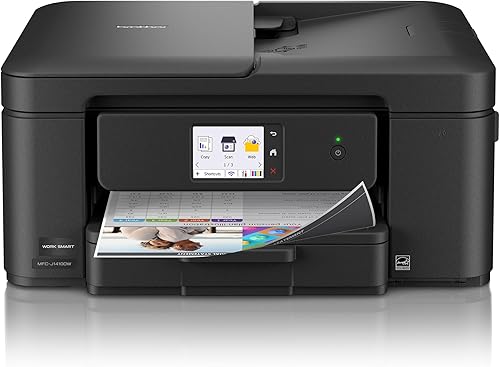
- 2.7-inch color touchscreen
- 20-sheet single-sided document feeder
- 150-sheet paper tray
The Work Smart 1410 adds a touchscreen, document feeder and direct access to popular cloud apps. It suits households that want a broader control panel and frequent document handling.
Pros
- Cloud app connections from the touchscreen
- Automatic duplex printing
- Fax function
Cons
- Cartridge-based ink
- Document feeder scans one side at a time
The Brother Work Smart 1410 suits a home office or small workspace that uses cloud apps and handles multi-page paperwork. Its 2.7-inch color touchscreen connects to popular cloud apps, and the printer includes a 20-sheet single-sided document feeder.
It also has automatic duplex printing and a 150-sheet paper tray. Brother lists wireless network and USB connections, and its Mobile Connect app supports printing, copying, scanning and device management from a phone.
The 1410 adds fax to print, copy and scan functions. Like the Work Smart 1360, it uses Brother genuine LC501 ink cartridges, so consider the tank-style Epson if you print often and want refillable ink.
Choose it for cloud access, fax and the larger touchscreen. Skip it if the 1360's simpler controls cover your needs or you will not use its document feeder.
HP DeskJet 4355: Best for simple household tasks

- Print, copy and scan
- 60-sheet input tray
- Dual-band Wi-Fi
This compact DeskJet covers basic color documents, recipes and letters, with wireless printing and a 60-sheet tray. HP also describes mobile printing and scanning through its app.
Pros
- Compact design
- Wireless printing
- 60-sheet input tray
Cons
- Slower stated print speeds than several picks
- Cartridge-based ink
The HP DeskJet 4355 covers basic home tasks such as letters, recipes and everyday color documents. It prints, copies and scans, with wireless printing, a 60-sheet input tray and an icon LCD control panel.
HP says its dual-band Wi-Fi can detect and resolve connection issues. The HP app supports printing, scanning, copying and faxing from a smartphone, while the printer itself is described as a compact model for home use.
HP advertises a 6-month Instant Ink trial, after which a monthly fee applies unless you cancel. Check the current trial terms and subscription details before enrolling, and read our guide to HP Instant Ink to understand how the service works.
Choose the DeskJet 4355 for simple household tasks and a compact footprint. Skip it if you print large batches or need a document feeder for multi-page scans.
How to choose the best wireless printer for home use
The best wireless printer for home use is the one that fits your print volume, ink preference and document routine. Start by estimating how often you print, then decide which features would save time every week.
How should you choose a wireless printer for home use?
Match the printer to your regular tasks instead of buying features you are unlikely to use. A household that prints homework, recipes and occasional forms has different needs from a home office that scans contracts and prints long reports.
Think about whether you print color photos, mostly black text, or a mix. Then consider how often you run out of paper, whether you need two-sided pages, and if more than one person will print from phones or computers.
The answers point to the right class of printer. Frequent mixed printing favors a tank model like the ET-2803, while simpler occasional jobs can fit a cartridge all-in-one such as the TS6520 or DeskJet 4355.
Is an ink tank printer better for frequent home printing?
An ink tank printer can be a good fit when you print often and want refillable tanks instead of cartridges. Epson states that a replacement set for the ET-2803 yields up to 4,500 black pages and 7,500 color pages.
For lighter printing, a cartridge model may suit your routine. Compare the replacement ink options for the exact model before you buy, since ink needs and costs depend on print volume and what you print.
Also think about how long documents may sit between print jobs. Inkjet printers can need occasional use and routine care to keep print quality consistent; follow the model's maintenance prompts instead of repeatedly running cleaning cycles without checking the cause of a problem.
Do you need a document feeder or automatic duplex?
A document feeder helps when you scan or copy several pages, while automatic duplex printing handles both sides of a sheet without manual flipping. The Canon TR7120 and Brother Work Smart models include an ADF, and most picks here have automatic two-sided printing.
If you mostly print single sheets and scan occasionally, a flatbed scanner may be enough. A feeder takes up space and adds little value if your scans are usually one page; learn more in what an ADF on a printer does.
Duplex printing is useful for handouts, schoolwork and longer documents. Check whether a model includes automatic duplex, because manual double-sided printing means turning and reloading pages yourself.
Which wireless features matter for phone printing?
Choose a printer that supports a mobile service or app you already use. AirPrint works with compatible Apple devices, while Canon, Epson, Brother and HP each offer their own mobile printing apps.
Before buying, check compatibility with your phone or tablet and whether the printer needs to join the same Wi-Fi network. Our guide to printing from an iPhone to a printer walks through the basic process.
A wireless label alone does not guarantee the easiest setup for your home. Confirm that your router, phone and printer can use the supported connection method, and keep the printer within reliable wireless range.
How do you set up a wireless printer at home?
Set up the printer near your router and computer or phone, then follow the model's on-screen or app instructions to join your wireless network. Install the brand's app if you plan to print from a phone, and add the printer through your device's print settings.
For a first print, use a short document and check that the correct printer and paper size are selected. If the printer is not found, confirm both devices are on the intended network, restart the printer's wireless connection, and check the app's device permissions.
For mobile printing, the exact steps vary by brand and phone. See our guide to what AirPrint is and which printers support it if you want to print from Apple devices without relying only on a brand app.
What setup mistakes should you avoid?
The most common setup mistake is choosing a printer before checking your devices and network. Confirm your phone's operating system, preferred print app and Wi-Fi access before buying, especially if several household members will share the printer.
Avoid placing the printer where the wireless signal is weak or where you cannot open trays and scanner lids. Leave enough space to load paper, refill tanks or cartridges, and reach the power and connection points.
Do not fill an ink tank beyond its mark or force a cartridge into place. Follow the printer's setup instructions for installing ink, loading paper and completing alignment, then save the model's app or support page for future maintenance.
How can you keep an inkjet printer ready to use?
Keep paper dry and flat, and use the paper type and size selected in the print settings. Remove dust from the area around the printer and close trays when practical to limit debris.
Print a small job periodically if you use the printer only now and then, and respond to maintenance prompts when they appear. If pages show missing lines or blank areas, check ink levels and run the printer's built-in nozzle check or cleaning steps as directed.
For a tank model, refill with the ink type made for that printer and wipe up any drips promptly. For cartridge printers, keep the replacement cartridge information handy so you can reorder the correct type without guessing.
Which wireless printer should you choose?
Choose the Epson EcoTank ET-2803 if you print regularly and want refillable tanks with AirPrint support. Pick the Canon PIXMA TS6520 for occasional duplex printing, the TR7120 or Brother Work Smart 1360 for multi-page scanning, and the HP DeskJet 4355 for simple household tasks.
If fax matters, compare the Canon TR4720 and Brother Work Smart 1410. To make the final choice among the best wireless printers for home use, match your print volume and most common jobs to the model's ink system and paper handling, then use our home printer guide for a wider comparison.
Our top 3 picks at a glance
-
1
-
2
-
3
Frequently asked questions
What is the best wireless printer for home use?
The Epson EcoTank ET-2803 suits homes that print regularly and want refillable tanks, scanning and copying, plus AirPrint support. For occasional tasks, the Canon PIXMA TS6520 offers automatic two-sided printing and mobile printing.
Choose based on print volume and whether you need a document feeder or fax.
Do wireless printers work with phones?
Many do, but phone support depends on the printer and app. The Epson ET-2803 supports AirPrint and the Epson Smart Panel app.
Canon's TS6520 supports AirPrint, Mopria and the Canon PRINT app.
Check that your phone and printer support the same service before setup.
Should I choose an ink tank or cartridge printer for home use?
An ink tank printer can suit frequent printing because it uses refillable tanks rather than cartridges. The ET-2803 has stated replacement yields of up to 4,500 black and 7,500 color pages.
Cartridge models may suit occasional use; compare replacement ink availability and your likely print volume.
Do I need an automatic document feeder?
An automatic document feeder can help when you scan or copy multiple pages. The Canon TR7120 and Brother Work Smart 1360 include one.
The Canon TS6520 does not.
If you mostly print single pages and scan only now and then, a flatbed scanner may be enough.
Can a wireless printer also print without a computer?
Yes. Several picks support printing from a smartphone or tablet through a brand app or services such as AirPrint and Mopria.
Connect the printer and phone to the required network, then use a supported app or service to send documents and photos.