What Is HP Instant Ink and How Does It Work?
HP Instant Ink is a subscription service that tracks the pages you print and sends replacement ink when your printer reports it is running low. You choose a plan based on monthly page needs, and the plan rules determine what happens to unused pages and printing after cancellation.
On this page (9 sections)
- What is HP Instant Ink?
- How does HP Instant Ink work?
- What happens to unused pages and extra pages?
- How does HP Instant Ink deliver cartridges?
- Which HP printers include an Instant Ink trial?
- What happens if you cancel HP Instant Ink?
- Is HP Instant Ink different from an ink tank printer?
- Is HP Instant Ink right for you?
- What is HP Instant Ink in simple terms?
HP Instant Ink is a subscription service that tracks the pages you print and sends replacement ink when your printer reports it is running low. You choose a plan based on monthly page needs, and the plan rules determine what happens to unused pages and printing after cancellation.
The service is designed to help you avoid running out of ink by sending supplies before the printer runs low. It works through an eligible HP printer connected to the internet and enrolled in an Instant Ink plan.
What is HP Instant Ink?
HP Instant Ink is a monthly subscription based on pages printed, not cartridges used. HP monitors the enrolled printer's ink levels and sends replacement cartridges when needed.
A page counts as a page whether it has a small amount of text or a full-color image. That means ink use per page does not set the plan charge, although your actual monthly plan terms depend on the page allowance you select.
HP's Instant Ink overview describes the service, eligible printers, and enrollment process. Availability and plan terms can vary by country and may change, so check HP's current details for your location.
How does HP Instant Ink work?
You enroll an eligible printer, choose a page plan, and connect the printer to the internet. HP then tracks pages and ships replacement cartridges when the printer reports that ink is running low.
The basic sequence is:
- Check that your printer model is eligible.
- Enroll the printer through HP and choose a plan that fits your printing.
- Connect it to the internet so it can communicate with HP.
- Print as usual while HP monitors page use and ink levels.
- Receive replacement ink by mail when the printer needs it.
The printer needs an internet connection to report its status. If the connection is interrupted, check HP's support guidance and your account for service details.
Does HP Instant Ink charge by page or by ink use?
The plan is page-based, so a page counts regardless of how much ink it uses. A page with a few lines and a page filled with color both count as printed pages.
This structure can make monthly use more predictable if your printing varies in color or coverage. It also means a burst of printing can use more of your monthly page allowance than you expect.
What happens to unused pages and extra pages?
Your plan's rules determine how unused pages carry over and what happens when you print beyond your allowance. Check your account for the current allowance and terms before choosing or changing a plan.
HP may offer different allowances and rollover rules depending on location and plan. Review the current details in your HP account, especially if your printing changes month to month.
If you're comparing subscription ink with other approaches, see our guide to printers with cheap ink. It covers cartridge models and refillable tanks, which handle ink supply differently.
How does HP Instant Ink deliver cartridges?
HP sends replacement cartridges to your address when the enrolled printer reports that ink is running low. You don't need to order a cartridge every time one is nearly empty.
Keep your shipping address current in the account and watch for delivery notices. If a shipment is delayed, use HP's support channels to check the order status and avoid waiting until the cartridge is empty.
The HP OfficeJet Pro 8125 includes a 3-month Instant Ink trial, an automatic document feeder, and automatic two-sided printing. It prints, scans, and copies, which may suit a home office that needs those features.
Which HP printers include an Instant Ink trial?
Some HP printers include a trial, but the trial length and terms depend on the specific model and offer. Check the enrollment details that come with the printer before activating it.
The HP Envy 6155 includes a 3-month Instant Ink trial and prints, scans, and copies, with automatic two-sided printing. It may fit a home that prints documents and photos and wants a touchscreen all-in-one.
The HP DeskJet 4355 includes a 6-month Instant Ink trial and offers color printing, copying, scanning, and wireless printing. It may suit basic household printing needs, such as letters, recipes, and to-do lists.
A trial is not the same as a permanent free service. Review the offer's terms and cancellation timing in your HP account if you don't want a paid subscription to continue afterward.
What happens if you cancel HP Instant Ink?
HP says Instant Ink cartridges stop working after you cancel, so you'll need standard cartridges to keep printing. Check the cancellation steps and effective date in your account before ending the subscription.
Plan ahead if you rely on the printer for school or work documents. Make sure compatible replacement cartridges are available and install them according to the printer's instructions.
If your printer is already showing blank pages or missing colors, the cause may be separate from your subscription. Our guide to why a printer prints blank pages covers common checks.
Is HP Instant Ink different from an ink tank printer?
Yes. Instant Ink is a cartridge subscription, while an ink tank printer uses refillable reservoirs and bottles.
The right setup depends on whether you prefer automatic cartridge delivery or refilling the printer yourself.
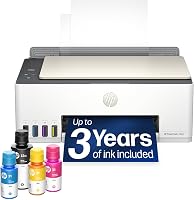
The HP Smart Tank 5003 is a cartridge-free tank all-in-one that includes HP ink bottles. It may suit higher-volume home printing if you'd rather refill tanks than enroll in a cartridge subscription.
For more on the two approaches, read HP Instant Ink vs Smart Tank. Our HP Smart Tank ink guide explains which HP bottles that tank family uses.
Is HP Instant Ink right for you?
Instant Ink may fit if you have an eligible HP printer, steady page needs, and want replacement cartridges delivered automatically. It may be a poor fit if you prefer buying supplies only when needed or don't want your printer connected to the internet.
Before enrolling, check the model's eligibility, the current plan terms, the page allowance, and what happens if you cancel. If you print a lot, compare a cartridge printer with a refillable tank; if you print only now and then, consider whether a monthly subscription matches your routine.
For more context on ink spending, read why printer ink is so expensive. If you want a printer designed around bottle refills, compare printers with cheap ink.
What is HP Instant Ink in simple terms?
HP Instant Ink is a page-based plan for eligible printers that sends cartridges when they are running low. Choose it if automatic delivery and a monthly page allowance suit your printing habits; choose a tank printer if you prefer bottles and refills.
Before you enroll, confirm your printer is eligible and review the current plan and cancellation terms in your HP account. If you're deciding between the two systems, our Instant Ink and Smart Tank comparison is the next useful read.
Frequently asked questions
What is HP Instant Ink?
HP Instant Ink is a subscription service for eligible HP printers. You choose a plan based on how many pages you expect to print each month, and HP sends replacement ink when your printer reports that supplies are running low.
The plan covers printed pages, not how much ink each page uses.
Does HP Instant Ink charge by the cartridge?
No. HP describes Instant Ink as a page-based subscription, so your plan is tied to the number of pages you print rather than the number of cartridges or the amount of ink used.
Check HP's current plan terms for how unused pages, extra pages, and plan changes work in your location.
Can I keep printing after I cancel HP Instant Ink?
HP says Instant Ink cartridges stop working after you cancel, so you'll need to replace them with standard cartridges to keep printing. Check the cancellation steps and timing in your account before making a change, and have compatible replacement ink ready if you need to print without interruption.
Is HP Instant Ink the same as an ink tank?
No. Instant Ink is a subscription service that delivers cartridges for eligible printers, while an ink tank printer uses refillable reservoirs filled from ink bottles.
If you print often, compare how each approach fits your routine and the printer you plan to use.