
HP, Canon, Epson & Brother
How to Use an HP Smart Tank 5101 Printer
Learn how to use an HP Smart Tank 5101 printer: fill the tanks, connect Wi-Fi, install the software, load paper, and keep the printhead healthy.
Plain picks and side-by-side comparisons for ink tank and inkjet printers from HP, Canon, Epson and Brother. Start with the room you print in, the ink you want or the model you're weighing.
Learn how to use an HP Smart Tank 5101 printer: fill the tanks, connect Wi-Fi, install the software, load paper, and keep the printhead healthy.
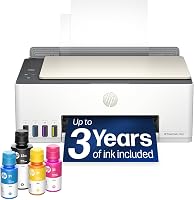
How many watts is a HP Smart Tank 525 printer? It draws about 14 W while printing and around 1 W idle, so a normal home workload costs very little power.
Do ink tank printers dry out? Yes, when left unused for weeks. Learn how tanks, bottles and printheads dry, the warning signs, and how to prevent it.
How to scan with an HP Smart Tank 5101: load the original, open HP Smart on your computer or phone, choose Scan, set color and resolution, then save.

Learn how to empty an Epson ink tank safely: when it is worth doing, which bottles to use, and how to refill without mixing colors or spilling.

Canon PIXMA G6020 MegaTank reviews in one place: what the ink tanks, page yields and print speeds mean for a busy home office, plus honest alternatives.

Epson vs Brother ink tank printer: compare print speed, ink systems and paper handling to pick the right refillable printer for your home.
Are tank printers messy? No. Sealed bottles and keyed refill ports keep ink contained when you follow the maker's fill steps.
Learn how to maintain an ink tank printer: refill cleanly, run nozzle checks, clear clogs, and keep print quality steady between long jobs.