9 Best Printers With Cheap Ink (October 2026)
The best printers with low-cost ink include the Canon MegaTank G3290 for automatic duplex, the Epson EcoTank ET-2803 for color-heavy homes, and the Canon MegaTank G3270 for basic Canon printing.
On this page (9 sections)
- How we chose printers with cheap ink
- Compare the best printers with cheap ink
- Which printer with cheap ink fits your needs?
- How do you choose a printer with cheap ink?
- Do refillable ink tanks always cost less?
- How should you compare ink yield claims?
- What setup and care help keep ink use predictable?
- What common mistakes raise ink costs?
- Which printer with cheap ink should you choose?
The Canon MegaTank G3290 is the best printer with cheap ink for most homes, especially if you print every week and want bottle refills with automatic two-sided printing. This guide compares tank printers with Brother INKvestment models, which keep cartridges but add features like an automatic document feeder.
Printers with low-cost ink often replace frequent cartridge changes with refillable bottles and large stated yields. To choose well, estimate your typical monthly pages, check the exact refill supply, and decide which paper-handling features save you time.
For broader home-use advice, start with our home printer guide. The ink tank printer guide explains refillable options, and the Canon G3270 vs G3290 comparison helps separate those two models.
Our picks at a glance
-
1

-
2
-
3
How we chose printers with cheap ink
We compared ink systems, stated yields, included ink, and practical paper-handling features to match different print routines. Refillable bottle models suit people who expect regular volume, while Brother INKvestment models suit readers who prefer cartridges and want an ADF or fax function.
An “up to” yield is a comparison point, not a promise for every household. Text density, graphics, color coverage, and print settings can all affect how quickly a supply runs down, so compare similar kinds of print jobs.
Compare the best printers with cheap ink
The models below split into two groups: refillable bottle tanks and Brother systems that pair cartridges with an internal tank. Compare the refill style first, then look at duplex printing, included ink, and document handling.
| Product | Best for | Ink system | Included ink | Duplex | Our score |
|---|---|---|---|---|---|
| Canon MegaTank G3290 | automatic duplex | Refillable bottles | Up to 2 years | Automatic | 8.6 |
| Epson EcoTank ET-2803 | color-heavy homes | Refillable tanks | Simplex | 8.5 | |
| Canon MegaTank G3270 | basic Canon printing | Refillable bottles | Up to 2 years | Single-sided | 8.3 |
| Epson EcoTank ET-2903 | longer ink estimates | Refillable tanks | Up to 3 years | 8.0 | |
| HP Smart Tank 5003 | HP tank printing | Refillable tanks | Up to 3 years | Manual | 8.0 |
| HP Smart Tank 5103 | family documents | Refillable tanks | Up to 2 years | Manual | 7.5 |
| Brother INKvestment 1365 | feeder workflows | INKvestment cartridges | 1 | Automatic | 7.5 |
| HP Smart Tank 5100 | bulk HP output | Refillable tanks | Up to 3 years | Manual | 7.4 |
| Brother INKvestment Tank MFC-J4335DW | cartridge convenience | Internal tank with cartridges | Up to 1 year | Automatic | 7.3 |
Which printer with cheap ink fits your needs?
The Canon MegaTank G3290 is the top choice for most homes because it combines bottle refills with automatic duplex printing. Other picks are better if you prioritize high stated color yield, a longer included-ink estimate, or a feeder for multi-page paperwork.
Which printer with cheap ink is best for automatic duplex?
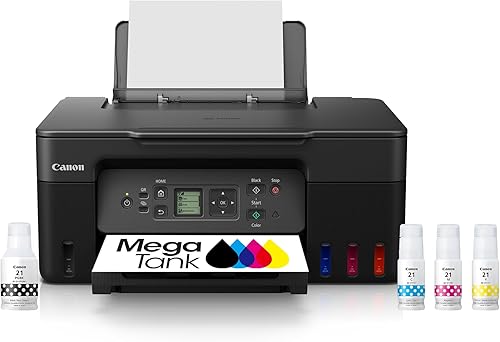
The Canon MegaTank G3290 is the best match if you print two-sided documents often and want refillable ink. Its automatic duplex feature turns pages for you, while the larger color touchscreen gives you on-printer controls for common tasks.
Canon MegaTank G3290: Best for automatic duplex
- Refillable ink bottles
- Up to 2 years of ink included
- Up to 6,000 black and 7,700 color pages per full set
- Automatic two-sided printing
- 2.7 in color touchscreen
The G3290 pairs refillable bottles and a stated high page yield with automatic two-sided printing. Its touchscreen is larger than the G3270's display.
Pros
- Automatic two-sided printing
- Up to 2 years of ink included
- 2.7 in color touchscreen
Cons
- Bottles require manual refilling
- Print speed is 11 black and 6 color pages per minute
The Canon MegaTank G3290 fits homes that print documents and color pages and want fewer cartridge changes. Canon gives a full-set yield of up to 6,000 black and 7,700 color pages, with ink included for up to 2 years.
Automatic two-sided printing is useful for reports, school packets, and longer household documents. It prints, copies, and scans, and its 2.7 in color touchscreen is larger than the G3270's display.
Choose the G3290 if you expect regular printing and value automatic duplex. Skip it if you print only a few pages now and then or would rather buy cartridges than handle bottle refills.
Which cheap ink printer suits frequent color printing?
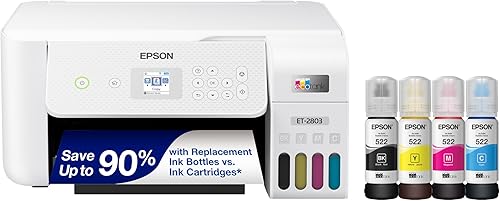
The Epson EcoTank ET-2803 is a strong choice for readers who expect to print plenty of color pages. Its stated replacement set yield reaches up to 7,500 color pages and 4,500 black pages.
Epson EcoTank ET-2803: Best for color-heavy homes
- Refillable ink tanks
- Up to 4,500 black and 7,500 color pages per replacement set
- Up to 2 years of ink included
- Flatbed scanner
The ET-2803 has a stated replacement set yield of up to 7,500 color pages and includes ink for up to 2 years based on about 125 pages per month. It prints single-sided.
Pros
- High stated color yield
- Up to 2 years of ink included
- AirPrint support
Cons
- Single-sided printing
- Print speed is 10 black and 5 color pages per minute
The ET-2803 includes ink for up to 2 years, based on roughly 125 pages per month. It is an all-in-one with a flatbed scanner and color display, and supports AirPrint, the Epson Smart Panel app, and voice-activated printing.
This model prints single-sided, so you must turn sheets yourself for two-sided documents. Choose it if color volume matters more than automatic duplex; skip it if you regularly print long two-sided packets.
Is the Canon G3270 a good printer with cheap ink?
The Canon MegaTank G3270 is a sensible fit if you want a basic refillable Canon all-in-one and do not need automatic duplex. It shares the G3290's stated full-set yield, with up to 6,000 black and 7,700 color pages.
Canon MegaTank G3270: Best for basic Canon printing
- Refillable ink bottles
- Up to 2 years of ink included
- Up to 6,000 black and 7,700 color pages per full set
- Print, copy and scan
The G3270 offers refillable bottles and a stated yield of up to 6,000 black and 7,700 color pages per full set. It prints single-sided.
Pros
- Up to 2 years of ink included
- Print, copy and scan
- Wireless printing
Cons
- Single-sided printing
- 1.35 in square display
The G3270 prints, copies, and scans, and supports wireless connections. Its 1.35 in square LCD is smaller than the G3290's touchscreen, and it prints single-sided.
Choose it if you want to spend less attention on document handling than on bottle capacity and all-in-one basics. Skip it if automatic two-sided printing matters, and read our G3270 and G3290 guide before deciding between the pair.
Which EcoTank printer offers more included ink?
The Epson EcoTank ET-2903 is worth considering if the stated included-ink estimate is a priority. Epson says the box includes enough ink for up to 3 years, with a stated yield of up to 3,600 black and 6,500 color pages.
Epson EcoTank ET-2903: Best for longer ink estimates

- Refillable EcoFit tanks
- Up to 3 years of ink included
- Up to 3,600 black and 6,500 color pages
- AirPrint support
Epson says the ET-2903 includes enough ink for up to 3 years and a stated yield of up to 3,600 black and 6,500 color pages. It has a flatbed scanner and a color display.
Pros
- Up to 3 years of ink included
- Keyed bottles for refilling
- AirPrint and Mopria support
Cons
- Refillable tanks need manual filling
- Color printing is 6 pages per minute
Keyed EcoFit bottles are designed to make refilling simple and reduce bottle mix-ups. The ET-2903 also has a flatbed scanner, a 1.44 in color display, a 100-sheet paper tray, and support for AirPrint, Mopria, and the Epson Smart Panel app.
Choose this model if you want the longer ink estimate and its mobile printing options. Skip it if you need automatic duplex, and compare compatible replacement bottles before treating the included supply as a long-term cost estimate.
Is HP Smart Tank 5003 right for home printing?
The HP Smart Tank 5003 suits regular home printing if you want refillable tanks, HP ink, and copy and scan functions. HP says it includes up to 3 years of ink and can print up to 6,000 color or black pages out of the box.
HP Smart Tank 5003: Best for HP tank printing
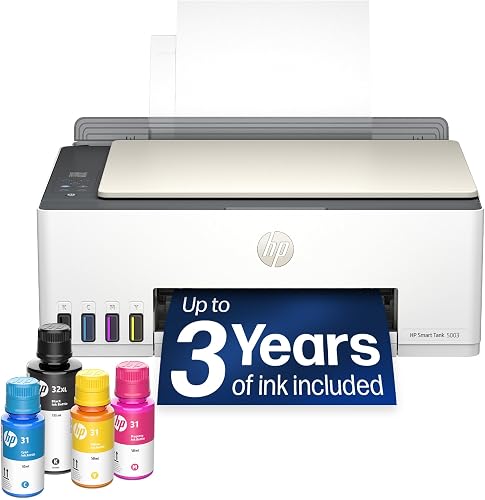
- Refillable ink tanks
- Up to 3 years of HP ink included
- Up to 6,000 color or black pages out of the box
- Print, copy and scan
The Smart Tank 5003 includes HP ink for up to 3 years and is rated for up to 6,000 color or black pages out of the box. Its two-sided printing is manual.
Pros
- Up to 3 years of ink included
- Print, copy and scan
- Wireless printing
Cons
- Manual two-sided printing
- Print speed is 10 black and 5 color pages per minute
Its refill bottles connect to the tank without squeezing, and the printer supports wireless printing and borderless prints. Two-sided printing is manual, so you turn pages when you want duplex output.
Choose it if you want an HP tank model with a generous stated supply and mostly print one-sided documents. Skip it if frequent two-sided printing would make manual page turning a nuisance; our HP Smart Tank ink guide covers bottle compatibility.
Should families consider the HP Smart Tank 5103?
The HP Smart Tank 5103 fits households that want a refillable all-in-one for shared documents, copies, and scans. HP says it includes up to 2 years of ink and up to 6,000 color or black pages out of the box.
HP Smart Tank 5103: Best for family documents

- Refillable ink tanks
- Up to 2 years of ink included
- Copy and scan
- Manual duplex printing
The Smart Tank 5103 combines refillable ink tanks with copy and scan functions. HP says it includes up to 2 years of ink.
Pros
- Refillable tank system
- Copy and scan functions
- Wireless connectivity
Cons
- Manual two-sided printing
- Color speed is 5 pages per minute
It supports wireless printing and has manual duplex, so you turn the sheets to print both sides. Its stated speeds are 12 black pages and 5 color pages per minute.
Choose the 5103 if its included-ink estimate and refill system suit the family’s volume. Skip it if you need automatic duplex or print many color pages quickly; compare its ink with the 5003 and 5100 before choosing among those HP models.
Which cheap ink printer handles multi-page paperwork?
The Brother INKvestment 1365 is the document-focused choice if you want an automatic feeder and two-sided printing. It uses cartridges with an internal ink system rather than bottles poured into tanks.
Brother INKvestment 1365: Best for feeder workflows
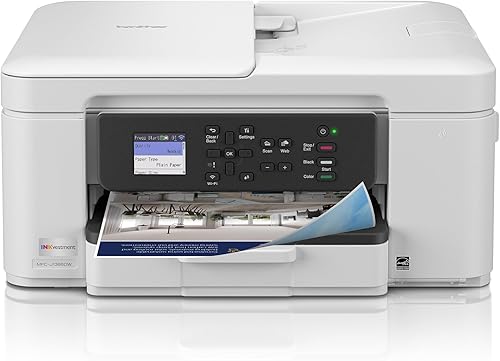
- INKvestment cartridges
- Automatic two-sided printing
- 20-page single-sided ADF
- 150-sheet paper tray
The Brother 1365 uses cartridges with an internal ink system, rather than refillable tanks. It adds automatic duplex printing and a 20-page ADF.
Pros
- Automatic two-sided printing
- 20-page ADF
- 150-sheet tray
Cons
- Uses cartridges rather than bottles
- Color cartridges are rated for 500 pages each
The box includes a black cartridge rated for 1,200 pages and color cartridges rated for 500 pages each. The 1365 adds a 20-page single-sided ADF, a 150-sheet tray, automatic duplex, and print, copy, and scan functions.
Choose it if you regularly scan or copy multi-page paperwork and want the feeder to handle pages in sequence. Skip it if the lowest possible refill cost is your main goal, since cartridge costs and yields need to fit your page volume.
Is the HP Smart Tank 5100 a good high-volume option?
The HP Smart Tank 5100 suits households that want HP’s refillable tank system and a stated supply for longer printing runs. HP says it includes up to 3 years of ink and up to 6,000 color or black pages out of the box.
HP Smart Tank 5100: Best for bulk HP output

- Refillable ink tanks
- Up to 3 years of HP ink included
- Up to 6,000 color or black pages out of the box
- Print, copy and scan
The Smart Tank 5100 includes HP ink for up to 3 years and supports print, copy and scan tasks. Its two-sided printing is manual.
Pros
- Up to 3 years of ink included
- Refillable tanks
- Wireless printing
Cons
- Manual two-sided printing
- Color speed is 5 pages per minute
It supports printing, copying, scanning, and wireless connections. Duplex is manual, and color output is rated at 5 pages per minute.
Choose it if you want the 5100’s long included-ink estimate and do most printing one-sided. Skip it if you need automatic duplex or quicker color output, and compare the compatible HP bottles with the 5003 before picking a model.
Does Brother INKvestment make sense if you dislike refilling bottles?
The Brother INKvestment Tank MFC-J4335DW is a useful alternative if you want cartridges instead of pouring ink from bottles. Its internal tank works with front-loading cartridges, and the box includes up to 1 year of ink.
Brother INKvestment Tank MFC-J4335DW: Best for cartridge convenience

- INKvestment internal tank with front-loading cartridges
- Up to 1 year of ink in the box
- Automatic duplex printing
- 20-page ADF
The MFC-J4335DW combines an internal ink tank with front-loading cartridges, so refills do not involve pouring ink from bottles. It also prints, copies, scans and faxes.
Pros
- Up to 1 year of ink included
- Automatic two-sided printing
- 20-page ADF
Cons
- Uses cartridges
- Fax function may be unnecessary for some home users
This all-in-one prints, copies, scans, and faxes. Automatic duplex, a 20-page ADF, and a 150-sheet adjustable paper tray make it suited to a home office with recurring forms and multi-page documents.
Choose it if you want a feeder, fax capability, and automatic two-sided printing in a cartridge-based system. Skip it if you do not need those features and want the bottle-refill approach with the higher stated yields of the tank picks.
How do you choose a printer with cheap ink?
Start with your monthly print volume, then compare the right supply type and features for your work. A printer’s included ink is useful at setup, but the ongoing cost depends on the replacement bottles or cartridges you will actually buy.
- Estimate pages by type. Count typical black text pages and color pages separately, including school assignments, work documents, and occasional photos. A home that prints mostly monochrome documents has different needs from one that prints worksheets and graphics each week.
- Check replacement supplies. Identify the exact ink number for the printer and compare full sets, not just one color bottle or cartridge. For models with stated yield, compare black and color separately and remember that page coverage and settings affect real output.
- Choose your refill routine. Bottle tanks require you to fill the reservoirs when needed. Brother INKvestment uses cartridges with an internal tank, which avoids pouring bottles but means cartridge prices and yields matter.
- Pay for useful workflow features. Automatic duplex saves manual page turning. An ADF speeds up scanning and copying of multi-page stacks. A flatbed scanner is enough for single pages, photos, and bound material, but does not feed a stack by itself.
- Think about how often you print. High-yield tanks are compelling for regular printing, where you can use the ink supply over time. If printing is rare, a simpler cartridge model may be easier to justify even if its per-page cost is higher.
For terminology, our guides explain what an ADF does and how duplex printing works. Those features can matter as much as refill costs if your routine includes forms, reports, or school packets.
Do refillable ink tanks always cost less?
Refillable tanks can reduce the cost per page for people who print often, but the result depends on volume and the price of replacement ink. A printer that sits unused for long stretches may not use its included supply efficiently.
Compare the correct bottles for each tank model and the cartridges for Brother INKvestment printers. Also consider whether you print mostly black text, color documents, or photos, because the stated yields differ by color and print content.
Our guide to why printer ink can be expensive explains why upfront printer cost and long-term supply cost should be weighed together. Check compatible ink before ordering, since models within one brand can use different bottle numbers.
How should you compare ink yield claims?
Yield figures help you compare models, but your output depends on what you print and how you print it. Canon and Epson give separate black and color yields for several picks here, while HP gives an up-to figure for black or color pages.
Treat the figures as a common reference point, not a guaranteed number of pages for your household. Dense graphics, photo coverage, and print settings can use ink at different rates from ordinary text pages.
Compare the yield with the exact compatible refill set and your own print mix. Our guide to dye and pigment printer ink explains another difference that can matter when you print both text and photos.
What setup and care help keep ink use predictable?
A careful first setup and a few routine habits help you avoid wasted pages and refill confusion. Follow the model’s setup guide, use its compatible ink, and keep a simple record of how many pages your household prints.
Place the printer on a stable, level surface with room to open the scanner lid and access the tanks. Connect it to Wi-Fi or USB, add it through the manufacturer’s app or computer setup, and print a short alignment or quality page if the setup process asks for one.
Before filling a tank, check the ink number and color on the bottle and the matching reservoir. Keyed bottles such as Epson’s EcoFit design help reduce mix-ups, but it is still good practice to confirm the labels and avoid forcing a bottle into place.
Keep the right paper loaded and choose the matching paper type in the print settings. Draft or standard quality is often enough for internal documents, while photos and graphics may need a higher quality setting and suitable paper.
Print occasionally if a tank printer is part of a rarely used home setup, especially when you rely on it for color. If output becomes streaky or a color is missing, use the printer’s built-in maintenance steps before repeatedly printing full pages, which can waste ink.
What common mistakes raise ink costs?
The biggest avoidable mistake is choosing by the included-ink estimate alone. Check replacement supplies and your monthly volume too, since the long-term cost depends on what you print after the starter supply runs down.
Another mistake is buying a printer with features you will not use. An ADF is valuable for stacks of pages, but it adds little if you scan one sheet a month; automatic duplex matters if you print two-sided often, not just once in a while.
Do not assume every model from a brand uses the same ink. Match the supply number to the exact printer model before ordering, and avoid buying a large refill set until you know it fits your machine.
Finally, do not compare a black yield for one printer with a color yield for another. Compare like with like, and account for the type of documents you normally print.
Which printer with cheap ink should you choose?
Pick the Canon MegaTank G3290 if you want refillable bottles and automatic two-sided printing for regular home use. Choose the Epson ET-2803 for a high stated color yield, the HP Smart Tank models for their included-ink estimates, or the Brother INKvestment MFC-J4335DW when a feeder and cartridge refills fit your work better.
Match the exact replacement ink to your monthly page count before you buy, then choose duplex and scanning features you will use. For more help comparing home models, read our home printer guide.
Our top 3 picks at a glance
-
1
-
2
-
3
Frequently asked questions
What type of printer has the cheapest ink?
Refillable tank printers are a strong choice if you print often, because they use ink bottles instead of replacing a cartridge for each run of pages. Compare the stated yields and the cost of the exact replacement bottles for the model you want.
A cartridge printer can still suit light use or a workflow that benefits from its document features.
Are ink tank printers cheaper to run?
They can be cheaper to run for regular printing, since replacement ink comes in bottles and each set can cover many pages. The real cost depends on your print volume, color use, and the price of the correct refill bottles.
Check model-specific yields before comparing ongoing ink costs.
Is Brother INKvestment the same as an ink tank printer?
No. Brother INKvestment models use cartridges that work with an internal ink tank, while refillable tank printers use bottles poured into tanks.
The MFC-J4335DW combines the internal tank with front-loading cartridges and includes up to 1 year of ink in the box.
How do I choose a printer with cheap ink?
Estimate how many black and color pages you print in a typical month, then compare stated ink yields, included ink, and the cost of the exact refill or cartridge. Also check whether you need automatic duplex printing, scanning, or an automatic document feeder.
A low refill cost matters most when you print enough pages to use the ink.



