Why Is Printer Ink So Expensive and What Can You Do?
Printer ink costs so much because cartridges package a small ink supply with parts and technology that deliver it, while low printer prices can be offset by repeat ink sales. To spend less, compare yield and your printing habits; consider a refillable tank if you print regularly.
On this page (9 sections)
- Why is printer ink so expensive?
- How do you compare ink costs fairly?
- How can you spend less on cartridges?
- When does a refillable ink tank make sense?
- What setup and care habits help reduce waste?
- What common mistakes make ink run out sooner?
- Should you keep your printer or replace it?
- Can printer ink dry out or expire?
- What should you do about expensive printer ink?
Printer ink costs so much because cartridges hold a limited supply and may include printhead or electronic components. If you're asking why printer ink is so expensive, the useful next step is to compare what you print with cartridge yields and refill options.
The right way to cut costs depends on your print volume. Occasional users can start with print settings and careful cartridge choices, while regular users can compare high-yield cartridges with refillable tank printers.
Why is printer ink so expensive?
Cartridges cost more than the ink inside them because they package ink with parts and systems that deliver it to the page. Some cartridges include a printhead or a chip that tracks ink, and they are often made for a specific printer family.
A printer's purchase cost is only part of its long-term cost. A low upfront price can be offset by buying replacement ink over time, especially if you print often or use color.
Ink also has to work with a printer's tiny nozzles, paper handling, and software. That makes ink a specialized supply, rather than a generic liquid you can use in any printer.
How do you compare ink costs fairly?
Compare cost per page and your likely page mix, not just the cost of one cartridge or bottle. Divide the cost of a replacement set by its stated yield, then account for whether your pages use mostly text, color graphics, or photos.
Page yields are based on a standard test pattern. Dense images, large graphics, and colored backgrounds can use more ink than a mostly text page, so your results may differ from the stated yield.
Also check how a printer handles color. Some models use separate color cartridges, while others have a combined color cartridge that may need replacing when one shade runs low.
How can you spend less on cartridges?
Use less ink on pages that don't need polished output, and choose supplies that match your real print volume. Draft or economy mode can work for internal notes, while normal or higher-quality settings suit pages where clean text or images matter.
Preview each job to remove blank pages, unnecessary backgrounds, or pages you don't need. Choose black-and-white for text documents when color adds no value, and print only the pages you plan to keep.
Compare standard and high-yield cartridges by their stated page yields. A higher-yield option can suit regular printing, but it may be wasteful if you print so rarely that ink sits unused for a long time.
For a side-by-side look at lower-ink-use options, see our guide to printers with cheap ink. If you're considering a subscription, our HP Instant Ink vs Smart Tank comparison explains the difference between a supply plan and a refillable tank printer.
Can third-party ink lower the cost of printer ink?
Third-party cartridges may cost less, but compatibility and print results can vary by printer and supplier. Check the printer maker's support guidance and confirm the cartridge matches your exact printer model before buying.
This route suits people who can tolerate some troubleshooting to reduce supply costs. If you rely on the printer for work or school, an incompatible cartridge can cost time, so keep the original cartridge model handy in case you need a known compatible option.
When does a refillable ink tank make sense?
A refillable tank is worth comparing when your regular page volume can use its larger ink supply. Bottles replace small cartridges, and the stated yield gives you a starting point for estimating how long a set may last.
The tradeoff is the printer's upfront cost. If you print just a few pages now and then, a cartridge printer may be simpler; with frequent printing, the yield per bottle matters more.
The Epson EcoTank ET-2803 suits home users who want wireless print, copy, and scan functions alongside refillable tanks. Epson states a replacement set can produce up to 4,500 black pages or 7,500 color pages, and the included ink can last up to 2 years at about 125 pages per month.
The Canon MegaTank G3290 fits regular home printing when automatic two-sided printing is useful. Canon states a yield of up to 6,000 black-and-white or 7,700 color pages per set.
See our ink tank printer guide for more on tank models and how they compare with cartridge printers. For a home-use comparison of tank and cartridge options, read our home printer guide.
Which tank printer fits your printing habits?
Choose the tank model whose controls and features suit how you print, not just the one with the largest yield. The Canon MegaTank G3270 has the same stated black-and-color yield as the G3290, but it prints single-sided.
Pick the G3270 if manual two-sided printing is acceptable and you want a wireless print, copy, and scan model. Skip it if you regularly print both sides and want the printer to handle duplexing automatically.
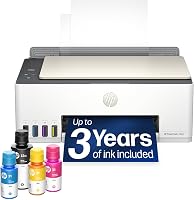
The HP Smart Tank 5003 suits users who want an HP refillable tank with print, copy, scan, and wireless printing. HP states that the included ink can print up to 6,000 color or black pages.
Choose it if its included ink and functions fit your expected volume. Compare the exact bottle compatibility before buying replacement supplies; our guide to HP Smart Tank ink bottles explains which bottles fit supported models.
What setup and care habits help reduce waste?
Careful setup and print choices help avoid wasting ink on jobs that don't need it. Follow the printer's setup steps, use the specified cartridges or bottles, and check the selected paper size and print quality before sending a large job.
For draft copies, lower the quality setting if your printer offers one. Save higher-quality mode for pages where fine text or color detail matters, and use print preview to catch layout errors before they consume ink and paper.
Inkjet printers may run maintenance routines to keep print nozzles clear. Their behavior differs by model, so follow the maker's guidance for leaving the printer powered and connected instead of unplugging it after every job.
What common mistakes make ink run out sooner?
Large images, color backgrounds, and unnecessary reprints can use more ink than plain text pages. A page that looks mostly white on screen may still contain a background or image that covers much of the printed sheet.
Another costly mistake is buying supplies based only on package size. Compare stated yield and exact printer compatibility, and avoid stocking more ink than you expect to use while it's still suitable for your printer.
If you print very rarely, a tank printer's high yield may not help you use up ink sooner. Consider how much you'll print, how often, and whether you need color before switching systems.
Should you keep your printer or replace it?
Keep your current printer if you print rarely and it still works; compare replacements when supply costs keep adding up. A new tank printer only saves money if the ink savings over your expected use can make up for its upfront cost.
Estimate how many pages you print each month and how many are text, color graphics, or photos. Then compare that mix with cartridge or bottle yields and include the cost of color supplies you use less often.
If you need a replacement cartridge, check whether your printer has a separate printhead or one built into the cartridge. That design affects which part you replace and can shape the cost of maintaining the printer.
Can printer ink dry out or expire?
Ink can become harder to use after sitting unused, and its shelf life depends on the ink and storage conditions. Keep cartridges and bottles sealed until you need them, store them as their maker directs, and use older supplies before opening newer ones.
Don't buy a large stockpile just because a pack looks convenient if you print infrequently. Our guide to whether printer ink expires explains what to check before using older supplies.
What should you do about expensive printer ink?
To answer why printer ink is so expensive in your case, start with your monthly page count and the kind of pages you print. For light use, try print preview, black-and-white mode, and economy settings for drafts before replacing a working printer.
For frequent use, compare your expected cartridge spending with the upfront cost and bottle yields of a refillable tank. The Epson EcoTank ET-2803, Canon MegaTank G3290, Canon MegaTank G3270, and HP Smart Tank 5003 offer refillable systems with stated yields to help frame that comparison.
If an HP subscription is also on your shortlist, read what HP Instant Ink is and how it works before deciding. Keep a cartridge printer for low-volume simplicity, or choose a refillable tank when your regular page count makes its larger ink supply useful.
Frequently asked questions
Why is printer ink so expensive?
Printer ink can cost a lot because cartridges hold a limited amount of ink and may include printheads or electronic chips. Printer makers may also sell printers at a low upfront cost and earn money from replacement supplies.
Your cost depends on cartridge yield, what you print, and how often you replace ink.
How can I make printer ink last longer?
Print only the pages you need, use draft or economy mode for routine documents, and choose black-and-white printing when color isn't necessary. Keep the printer powered as its maker recommends, since some inkjet models use ink during maintenance.
Check for large images or backgrounds before printing.
Are refillable ink tank printers cheaper to use?
They can cost less per page for people who print often because bottles hold more ink than typical cartridges. The savings depend on the printer's upfront cost, bottle yield, print volume, and the pages you make.
Compare those factors over the time you expect to keep the printer.
Does turning a printer off save ink?
Not always. Some inkjet printers run maintenance routines when they start or remain connected, and the exact behavior varies by model.
Follow the maker's power and maintenance guidance instead of unplugging the printer after every job, then compare your ink use over time.