Best Printer for Seniors: Easy Home Options
The best printer for seniors is one with clear controls, simple setup, and the features the user needs. Choose the Brother for an ADF and larger paper tray, the Epson for refillable tanks, the Canon for fax, or the HP for a larger touchscreen.
On this page (7 sections)
The best printer for seniors is a home model with controls and connections the person can use comfortably. Prioritize a readable display, a familiar way to send print jobs, and only the functions they actually need.
A printer can feel simple when it fits a person's routine. Someone who prints a few letters from a laptop may prefer a different setup from someone who scans forms, prints from a phone, or wants to fax.
The four options here cover different needs: the Brother offers a document feeder and larger tray, the Epson uses refillable tanks, the Canon adds fax, and the HP has a larger touchscreen. For a broader comparison of ink tank and cartridge printers, see our home printer guide.
How should seniors choose a printer?
The right printer for seniors matches the user's routine, preferred controls, and comfort with ink and Wi-Fi setup. Start with the jobs the printer must handle, then choose features that make those jobs easier.
Write down the usual tasks before comparing models. A short list might include printing letters, copying forms, scanning documents to a phone, or making occasional color prints.
Also consider where the printer will sit and who will help with setup. If it will be used in a shared room, convenient access to paper and ink may matter as much as the screen or app.
Which printer controls are easiest for seniors?
Choose controls the user can read and understand without needing help for every print job. A touchscreen puts settings on a display, while buttons may feel more familiar to someone who prefers physical controls.
The HP Envy 6155 has a 2.4-inch color touchscreen. The Brother Work Smart 1360 has a 1.8-inch color display with push-button and touch controls, and the Canon PIXMA TR4720 has an LCD display.
Consider whether the user will start jobs at the printer or from another device. If they often use a smartphone, a printer app may feel natural; if they prefer a computer, make sure computer printing is part of the plan.
How much printing do seniors need to do?
Match the printer to the likely volume and type of work. Someone who prints only a few pages now and then may care most about a straightforward cartridge routine, while someone who prints often may want to compare refillable tanks.
The Epson EcoTank ET-2803 uses ink tanks and bottles rather than cartridges. Epson says the included ink can last up to 2 years at about 125 pages per month, so that estimate is most useful if the person's print volume is close to that pattern.
People who print infrequently should think about the maintenance routine as well as the number of pages. A tank printer requires bottle refills when levels run low, while cartridge models use replacement cartridges.
Do seniors need an automatic document feeder?
An automatic document feeder, or ADF, is useful when the user scans or copies several pages in one job. It feeds a stack of pages, so there is less need to place each sheet on the scanner glass one by one.
The Brother Work Smart 1360 holds up to 20 sheets in its ADF, and the Canon PIXMA TR4720 also includes an ADF. For occasional single-page scanning, a flatbed scanner may be enough; learn more in our guide to what an ADF does.
An ADF does not remove every paper-handling step. The user still needs to arrange the pages and choose the right scan or copy setting, so it is most useful when multi-page work comes up often.
Should seniors choose wireless or USB printing?
Wireless printing suits a home where the printer and devices can connect to the same network. It avoids running a cable between the printer and computer, but the first setup requires connecting the printer to Wi-Fi and selecting it on each device.
For iPhone and iPad users, check support for AirPrint before buying. Our AirPrint guide explains how Apple's wireless printing feature works.
The Brother also supports USB, which can be a useful option if the user prefers a direct computer connection or wants another way to connect. The Brother, Epson, Canon, and HP also offer wireless or mobile printing options described for their models.
Which printer features help seniors most?
Useful features reduce steps in the tasks the person does regularly. A display, mobile app, ADF, automatic two-sided printing, or fax can be helpful when it matches a real need.
The Brother Work Smart 1360 prints, scans, and copies, with automatic two-sided printing and a 150-sheet paper tray. Its ADF holds up to 20 sheets for single-sided scanning or copying.
Brother Mobile Connect supports printing, scanning, and device management from a mobile device. Choose this model if the user handles multi-page paperwork, wants a larger tray, and feels comfortable using an app or the printer's display.
Skip it if the user wants a larger touchscreen or expects a fax function. It has neither of those features in the product details here.
The Epson EcoTank ET-2803 is a wireless color all-in-one with a flatbed scanner and color display. Its tanks use refillable bottles, which means the user needs to monitor ink levels and refill them when needed.
Epson says the included ink can last up to 2 years based on about 125 pages per month. Choose it if the user prints regularly and is comfortable with bottles; skip it if they want the simpler familiarity of swapping cartridges.
The Canon PIXMA TR4720 prints, copies, scans, and faxes. It also has automatic two-sided printing and a 100-sheet capacity, making it a fit for someone who handles home paperwork or still needs fax.
Choose it if the ADF and fax are useful parts of the person's routine. Skip it if fax is unnecessary and the user would rather have a larger touchscreen.
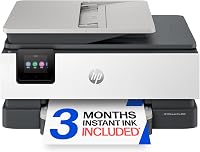
The HP Envy 6155 prints, scans, and copies, with automatic two-sided printing and a 100-sheet input tray. Its color touchscreen is the largest among these four models, which can suit a person who prefers to work at the printer.
The HP app provides another way to print, scan, and copy from a smartphone. Choose it if a larger touchscreen and everyday home documents or photos are priorities; skip it if the user needs fax or would rather avoid subscription choices.
Should seniors get a cartridge printer or an ink tank?
Choose based on how often the user prints and how they want to manage ink. Cartridge printers use replaceable cartridges, while the Epson EcoTank ET-2803 uses refillable bottles.
The HP Envy 6155 and Canon PIXMA TR4720 use cartridges. The Epson's tank system may suit a person who prints regularly and does not mind checking levels and refilling.
The Brother Work Smart 1360 also uses cartridges. It includes starter cartridges, and Brother's Page Gauge can help monitor ink use through the app.
A cartridge routine can be easier to understand if the user has replaced cartridges before. An ink tank may be worth considering for regular printing, but bottle handling and refill steps should be part of the decision.
For more background on running costs and printer types, see our guide to printers with cheaper ink. Compare the ink routine with the controls and functions the user will rely on.
How can seniors make printer setup easier?
A simple setup starts with the device and connection method the user already knows. Connect the printer, install an app only if it helps, and make a basic print before relying on it for an important document.
Put the printer near a power outlet and the usual paper supply. Choose a place where the user can reach the controls and load paper without shifting the printer or bending awkwardly.
For wireless printing, connect the printer to the home network and then select it from the phone, tablet, or computer. If an app is required for a preferred task, install it on the device the user will actually use and keep the printer name easy to recognize.
The Brother can also connect by USB, which gives computer users a direct connection option. For iPhone printing, see our step-by-step guide to printing from an iPhone.
If someone else handles setup, show the user how to perform the common tasks afterward. Practice loading paper, selecting a document, making a copy, and checking ink so the printer is useful without repeated help.
Write down the home Wi-Fi name and the printer's name somewhere accessible, without putting passwords in a place where visitors can see them. Keep any setup instructions and the app name close to the printer.
What printer mistakes should seniors avoid?
The most common buying mistake is choosing features that sound useful but do not match the person's routine. A fax function adds little value if they never fax, and a refillable tank is a poor fit if they dislike handling ink bottles.
Don't assume every phone can print the same way. Confirm that the printer supports the user's device and preferred method, such as AirPrint for an iPhone or the manufacturer's app.
Another mistake is buying an ADF for a person who scans only an occasional page. A flatbed scanner can handle single pages, while an ADF matters more when multi-page forms or documents come up often.
Avoid placing the printer far from the paper supply or in a spot where it is hard to reach. The device may have clear controls, but awkward placement can make routine tasks harder.
Finally, don't leave the user with a printer they have never used after setup. A short walkthrough of the everyday controls can prevent confusion when the first low-ink alert or paper-loading prompt appears.
How can seniors keep a printer ready to use?
A small routine helps prevent avoidable interruptions. Keep the correct paper nearby, check ink when the printer prompts you, and use the same device and print method for common jobs.
Store paper flat and dry, away from spills and heat. Before loading a stack, check that its edges are aligned and that the tray guides fit the paper without squeezing it.
If the printer has been idle, print a simple page when needed and follow the printer's own maintenance prompts. For the Epson, keep track of tank levels and refill before a tank is empty; for cartridge printers, keep compatible replacement cartridges in mind.
Clear paper jams according to the printer's instructions rather than pulling hard on a sheet. If a printed page comes out blank, use our guide to why a printer prints blank pages.
Avoid changing Wi-Fi settings without updating the printer connection too. If a phone or computer can no longer find the printer, check that both are on the expected network and that the printer is awake.
Which printer should seniors choose?
The best printer for seniors is the one that fits the user's comfort with screens, phones, paper handling, and ink. Pick the Brother Work Smart 1360 for its ADF and larger paper tray, the Epson EcoTank ET-2803 for refillable tanks, the Canon PIXMA TR4720 for fax, or the HP Envy 6155 for its larger touchscreen.
If the person mostly prints from a phone, compare the app and wireless setup with the device they use. For more home-use options, browse our home printer guide or home office printer guide.
Frequently asked questions
What makes a printer easy for seniors to use?
A printer is easier to use when its controls, connection method, and everyday tasks suit the person using it. Look for a readable display or familiar app.
Then decide whether you need scanning, copying, faxing, or two-sided printing.
A simple paper and ink routine also helps.
Is a touchscreen better than printer buttons?
A touchscreen can make menus easier to read and select, while physical buttons may feel more familiar to some people. The HP Envy 6155 has a 2.4-inch color touchscreen, while the Brother Work Smart 1360 combines a smaller color display with push-button and touch controls.
Should a senior get a printer with an automatic document feeder?
An automatic document feeder helps if you regularly scan or copy several pages in one job. The Brother Work Smart 1360 and Canon PIXMA TR4720 have one.
If you usually scan a single page at a time, a flatbed scanner may be enough.
Can I print from an iPhone without a computer?
Yes, if the printer supports a compatible wireless method and is set up on your network. Apple's AirPrint lets you print from supported iPhone apps.
See our guide to printing from an iPhone for the basic steps.
Are ink tank printers easy to maintain?
Ink tank printers use refillable tanks and bottles instead of standard cartridges, so refilling is a different routine. The Epson EcoTank ET-2803 may suit people who print regularly and are comfortable handling bottles.
If you prefer replacing cartridges, consider the Canon or HP instead.