Do Ink Tank Printers Dry Out?
Yes, ink tank printers can dry out. An idle printhead is the weak point, so you'll see clogs and streaks within weeks, and a bottle left open loses ink to evaporation over months.
On this page (9 sections)
- Do ink tank printers dry out when left unused?
- What actually dries out in an ink tank printer?
- How fast do tank printers dry out?
- What are the warning signs of dried ink?
- How do you fix a dried ink tank printer?
- How do you stop an ink tank printer drying out?
- Do ink bottles dry out, and how should you store them?
- When should you skip the cleaning and replace the printhead?
- What's the verdict on ink tank printers drying out?
Yes, ink tank printers can dry out. The ink sitting in the printhead is the weak point, so an idle printer often shows clogs and streaks within a few weeks.
A bottle left open loses ink to evaporation over months.
The tanks themselves are less fragile than the printhead, because the bottles stay sealed and the bulk ink sits behind a nozzle assembly. This guide explains what dries, how fast, and the weekly habit that keeps a tank printer printing cleanly.
That matters whether you're comparing dye ink vs pigment ink printer options or already own a tank model.
Do ink tank printers dry out when left unused?
Yes, and the printhead dries first. Ink in the nozzles meets air as soon as the printhead leaves its cap, and it begins to thicken.
A printer that sits for a week or two is usually fine.
A printer that sits for a month or more often starts its next job with streaks or gaps.
The bulk ink in the tanks is more stable. Bottles stay sealed, so only the small amount already loaded into the printhead and tubes is exposed.
That's why a tank printer can sit for a while and still print most colors, with only one or two nozzles blocked.
Many models run a short automatic maintenance cycle when idle. That caps the printhead and clears it briefly, which slows drying but doesn't stop it.
The printer still needs a real print job now and then.
What actually dries out in an ink tank printer?
Three parts can dry: the printhead nozzles, the ink in the tubes, and an opened bottle. Each dries at its own pace, and the printhead matters most because a clog there blocks printing completely.
The printhead nozzles are tiny openings that hold a drop of ink ready to fire. When that ink thickens, the nozzle seals and the page shows a white line or a missing color.
The tubes carry ink from the tanks to the printhead. If they sit unused for a long stretch, the ink inside can thicken and flow slowly, so a cleaning cycle may take more than one attempt.
An opened ink bottle is the slowest to dry. Ink left in an open bottle evaporates at the surface, thickens, and can clog a refill funnel or leave a sludgy layer at the bottom.
Resealed and stored upright, a bottle holds up for months.
How fast do tank printers dry out?
Treat one to two weeks as a safe gap and a month as a risk. Drying speed depends on the ink type, the room, and how well the printer caps its printhead when idle.
Dye inks, common in color tanks, are more prone to drying at the nozzle than pigment black ink. A hot, dry room with a breeze speeds the process; a cool, humid room slows it.
Direct sun through a window can warm the printer and make things worse.
A printer with an automatic cap station protects its printhead better than one that only parks the carriage. That design detail matters more than the tank size when you're judging how long a printer can sit.
What are the warning signs of dried ink?
Streaks, gaps, faded colors and banding are the usual signs. A nozzle check pattern shows the problem clearly before you waste a full page on a document.
Common signs include:
- White lines running through text or photos
- One color missing from a mixed-color print
- Faint or patchy blocks on the nozzle check page
- Ink that stops partway through a long print job
- A printhead that parks with a visible crust or smear
If the printer hasn't been used for months, the first page may come out nearly blank. That's dried ink blocking most nozzles, not a tank that ran empty.
Check the ink levels first so you don't refill when the tanks are already full.
How do you fix a dried ink tank printer?
Run the built-in printhead cleaning, then a nozzle check. Repeat once or twice, and stop if the pattern doesn't improve.
More cleaning cycles rarely help a badly blocked head and they use ink from the tanks.
- Open the printer software or panel menu and find the maintenance or setup section.
- Run a nozzle check and look for missing segments in the color bars.
- Run a printhead cleaning cycle, then print another nozzle check.
- Repeat once more only if the pattern improved.
- If nothing changes, some models offer a deeper cleaning or a printhead soak procedure in the manual.
Check the printer's own instructions before a deep cleaning. Repeated cleaning cycles send ink to the waste pad, so a stubborn clog may be better handled by a service visit than by ten more cycles.
Our guide to how to maintain ink tank printer covers the full routine, including the checks worth doing monthly.
How do you stop an ink tank printer drying out?
Print something at least once a week. A short color page keeps ink moving through every nozzle and is the simplest defense against drying.
It uses very little ink from a bulk tank.
A few habits keep the printer healthy:
- Print a nozzle check or a one-page color document weekly.
- Leave the printer plugged in and switched on so its idle maintenance can run.
- Close the output tray and keep the printer out of direct sun.
- Cap opened bottles tightly and store them upright in a cool spot.
- Avoid moving the printer with full tanks, which can spill ink into the printhead area.
If you'll be away for a long trip, print a nozzle check before you go and again when you return. A printer left off for a month is the most likely to need a cleaning cycle on the first job back.
Ink bottles also age, so rotate older stock first; our explainer on does printer ink expire covers shelf life and storage in more detail.
Which tank printer suits a light user?
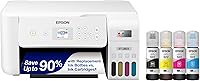
The Epson EcoTank ET-2803 is a good fit if you print in bursts and want low running costs. Its refillable ink tanks and the included ink supply mean a quiet week costs little, and its copy and scan functions handle school and home documents.
For anyone comparing options for a family desk, our roundup of the printer for home use covers how tank models stack up against cartridge printers.
Which tank printer fits a busy home office?
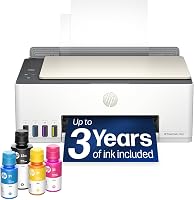
The HP Smart Tank 5003 suits a household that prints most days, because frequent jobs keep its printhead from drying between uses. HP says the box includes enough ink for up to 6,000 color or black pages, and the mess-free refill system lets you top up without squeezing a bottle.
Which tank printer covers color and photo work?
The Canon MegaTank G3270 handles print, copy and scan with a 1.35-inch square LCD for menu control. Canon says a single set of inks covers up to 6,000 black and 7,700 color pages, so color-heavy jobs won't drain the tanks quickly.
Its single-sided printing is a real limit if you want automatic double-sided pages.
Do ink bottles dry out, and how should you store them?
Yes, opened bottles dry out over time. Ink evaporates from the surface and thickens, so an old bottle can clog the refill spout or pour poorly.
A sealed bottle kept cool and dark lasts longer.
Store bottles upright with the cap fully tight. Keep them away from sunlight, radiators and the printer's own warm exhaust.
Label the date you opened each one so you use the oldest first.
Don't top up a tank with a bottle that looks thick or has a skin on the surface. That ink can block the printhead and cost more in cleaning cycles than a fresh bottle would.
When should you skip the cleaning and replace the printhead?
Replace or service the printhead when repeated cleaning leaves the same gaps. One or two clogs clear with a cycle; a pattern that never changes usually means the head is damaged or fully sealed.
A printer that's been idle for a year may fall into that group.
Check the printer's warranty terms first. Some makers cover a printhead only within a set period.
If the printer is out of coverage, weigh a replacement head against a new printer; a cheap tank model may cost less than the part and the service call.
What's the verdict on ink tank printers drying out?
They dry out when ignored, not when used. Print a short color page every week, keep the printer plugged in so its idle maintenance runs, and store opened bottles capped and upright.
That routine prevents most clogs and keeps bulk ink cheap per page.
Pick the EcoTank ET-2803 if you print in bursts and want the lowest running cost. Choose the HP Smart Tank 5003 for a busy desk where frequent jobs keep the head wet.
The Canon MegaTank G3270 fits color and photo work, as long as you don't need automatic double-sided printing. Whichever you choose, a weekly nozzle check is what keeps an ink tank printer from drying out between jobs.
Frequently asked questions
Do ink tank printers dry out when you leave them off?
Yes, the ink sitting in the printhead dries when the printer sits idle. A short rest is fine, but a few weeks without a print job can turn the nozzles into a clog that needs cleaning cycles to clear.
Do ink tank printers dry out faster than cartridge printers?
Not really, because both use the same printhead design. Tank printers save money per page but still need regular use; the difference is that a dried tank printer wastes cheap bulk ink rather than a costly cartridge.
Can dried ink in an ink tank printer be fixed?
Often yes. Run the printer's built-in printhead cleaning once or twice and print a nozzle check.
If streaks remain after several cycles, some models allow a deeper cleaning; repeat cycles too often waste ink and fill the waste pad.
Should you leave an ink tank printer turned on all the time?
Leaving it on is generally safer than switching it off for long gaps. Many models run a short automatic cap-and-clean when idle, which keeps the nozzles from sealing over, though you should still print something once a week.
Do ink bottles dry out after opening?
Yes, once a bottle is opened its ink starts to evaporate and thicken. Reseal the cap tightly, keep bottles upright in a cool spot out of sunlight, and use them within about six months for best results.
How long can an ink tank printer sit without printing?
Treat one to two weeks as safe, and expect trouble after a month or more. The printhead dries first, then the ink inside the tubes thickens, so print a short color page weekly and run a nozzle check if output looks faded.