How to Maintain an Ink Tank Printer
To maintain an ink tank printer, refill only with the matching genuine bottles, keep each color topped up, and run a nozzle check every week or two. Wipe the printhead and capping area when streaks appear, and store the printer level with ink in the tanks so it doesn't dry out.
On this page (7 sections)
- Why does regular maintenance matter for an ink tank printer?
- How do you refill the ink tanks without making a mess?
- How often should you run a nozzle check?
- What should you do when the print quality drops?
- How do you keep the printer and printhead in good condition day to day?
- How do you look after ink bottles and old ink?
- Which upkeep tasks keep an ink tank printer running longest?
To maintain an ink tank printer, refill only with the matching genuine bottles, keep each color topped up, and run a nozzle check every week or two. Wipe the printhead and capping area when streaks appear, and store the printer level with ink in the tanks so it doesn't dry out.
Ink tank models save money because you buy bottles instead of cartridges. That low ink cost only holds up if the tanks and printhead stay clean.
A little routine care keeps how you maintain ink tank printer simple and cheap.
Why does regular maintenance matter for an ink tank printer?
Regular care keeps the printhead wet and the tanks clean, which is what protects print quality and your low ink cost per page. Skip it and dried ink can block nozzles, causing streaks and wasted cleaning cycles.
An ink tank printer feeds ink from open reservoirs through tubes to the printhead. Every time the printer sits idle, a thin layer of ink can dry at the nozzles.
That is why makers build in automatic cleaning cycles and why a weekly check matters more than on a cartridge printer.
The savings are real: Epson says its EcoTank replacement bottles save up to 80 percent on ink compared with enough cartridges to reach the same page yield. A clogged head can throw that away by forcing repeated cleaning cycles that use ink without printing.
There is also a longevity angle. The printhead is the costliest part of the machine, and most clogs start small, in one or two nozzles of a single color.
Catching them at the nozzle check stage keeps the fix to one short cleaning cycle instead of a long soak and a service visit.
How do you refill the ink tanks without making a mess?
Use the bottle made for your printer, match each color to its keyed tank, and fill only to the upper line. Epson's EcoFit bottles are uniquely keyed so each one fits only its own color, which prevents cross-filling.
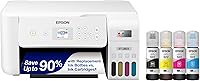
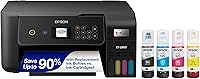
Epson 522 bottles fit EcoTank models like the ET-2720, ET-2800 and ET-4800, and the four-bottle combo pack covers black plus cyan, magenta and yellow. The keyed design means you can tip the bottle in and let it drain without squeezing.
For Epson's older EcoTank ranges, the 502 color combo pack covers cyan, magenta and yellow with the same keyed autostop filling. Both lines are genuine Epson ink, which Epson recommends to protect print quality and warranty coverage.
HP's Smart Tank printers use a different bottle set. The HP 31 three-pack covers cyan, magenta and yellow for Smart Tank 5000, 6000 and 7000 series models, with a spill-free system that drains when you plug the bottle into the tank.
HP rates the color bottles at about 8,000 pages.
Before any refill, check the printer is level and the tanks are cool. Never fill past the top line, and cap each bottle tightly afterward so the ink doesn't thicken.
Work over a sheet of scrap paper so a stray drip lands there and not on the desk. Keep the bottle upright as it drains rather than tipping it to speed things up, since the keyed fit and the autostop design do the metering for you.
If a tank is already near full, stop and top up only the colors that are low, because overfilling can push ink into the air lines.
How often should you run a nozzle check?
Run a nozzle check once a week when the printer is in regular use, and always before a big print job. The printed grid shows whether every nozzle is firing, and it costs almost no ink.
A clean pattern means you can stop there. Gaps, missing lines or a patchy color block mean the printer needs a cleaning cycle.
Run one cycle, print the check again, and repeat only if the pattern is still incomplete.
Don't run cleaning cycles as a habit. Each one pushes ink through the head to clear it, and too many back-to-back cycles waste ink without fixing a problem that a manual wipe would solve.
Many printers also run their own cleaning when they wake from standby, so leaving the printer switched on helps.
On a light-use printer, a single page a week is enough to keep ink moving through the tubes. A color document or a small photo does more good than a black text page, because it exercises all four channels instead of just one.
What should you do when the print quality drops?
Start with the printer's own cleaning cycle, then check the ink levels and the capping station before trying anything more forceful. Most streaks and faint colors come from a partly dry head or a low tank.
The step-by-step fix for streaks and clogs
Print a nozzle check to see which colors are missing. Then run one cleaning cycle and recheck.
If the pattern stays patchy, repeat up to the limit your printer allows, then stop for the day so the head can soak.
Check that no tank is below its low line. Air in the lines from a dry tank is a common cause of gaps that cleaning won't fix until you refill.
On models with a removable printhead, some makers allow a gentle wipe with a lint-free cloth and a little distilled water, but only follow the steps in your manual.
Never scrape the nozzle plate with a tissue or cotton swab. Fibers catch on the fine openings and make the clog worse.
If the printer still prints poorly after a day of rest and one more cycle, run its deeper cleaning option or contact support.
How do you keep the printer and printhead in good condition day to day?
Leave the printer plugged in and switched on, keep it level and out of direct sun, and print something at least once a week. These habits stop ink drying at the nozzles and keep the capped head sealed.
The printer parks its head in a capped position when idle and runs scheduled cleaning. Cutting the power for weeks defeats that, so leave it on standby.
Place it on a flat, stable surface away from radiators and windows, since heat dries ink in the tanks and tubes.
Keep the exterior clean with a soft, slightly damp cloth. Dust on the glass or the paper feed causes smudges and jams that look like ink faults.
Load plain paper flat and avoid overfilling the tray.
When you'll be away for weeks, run a nozzle check and one cleaning cycle before you go. On return, print a check page first.
Our guide to how a dye ink vs pigment ink printer behaves helps if you're choosing between ink types and want to know which dries faster.
How do you look after ink bottles and old ink?
Store bottles upright with the caps tight, in a cool dark spot, and use them within the maker's date. Old or badly stored ink is a common cause of clogs and weak colors.
Keep bottles away from freezing temperatures and direct sun. Let a cold bottle reach room temperature before filling, and never mix leftover ink from different brands or ink types in one tank.
If you're unsure how long a bottle lasts, read does printer ink expire before you top up with an old one.
Genuine ink matters more on a tank printer than on a cartridge one. Epson says non-genuine ink could cause damage not covered under the printer's limited warranty, and a clogged head is far more expensive than the ink you saved.
Store partly used bottles with the cap on and the bottle standing up, not lying on its side. A bottle on its side can seep at the cap and coat the threads, which then lets in air and dries the ink at the surface.
Keep the bottles for your own model together in one box so you never reach for the wrong number at refill time.
Which upkeep tasks keep an ink tank printer running longest?
Refill early, run a weekly nozzle check, keep the printer powered and level, and store ink properly. That short list covers most of how to maintain an ink tank printer and avoids the clogs that cost the most ink.
Pick genuine bottles keyed to your model: Epson 522 for the ET-2720, ET-2800 and ET-4800 ranges, Epson 502 for the older EcoTank models, or HP 31 for Smart Tank printers. For a printer with cheap ink that suits your volume, compare our best printer with cheap ink picks.
If you're still choosing a machine, our printer for home use guide weighs ink tank models against cartridge inkjets.
Keep a cleaning cloth and distilled water near the printer so small problems get fixed before they become big ones. The habit costs minutes and keeps the ink savings you bought the printer for.
Frequently asked questions
How often should you run a nozzle check on an ink tank printer?
Run a nozzle check about once a week when you print regularly, or before any important job if the printer has sat unused. A clean pattern means no action is needed, while gaps or missing lines mean it's time for a cleaning cycle.
Can you top off an ink tank with a different brand of ink?
No, use the ink bottles made for your printer model. Mixing brands or dye and pigment inks can clog the printhead and may affect warranty coverage.
Epson says non-genuine ink could cause damage not covered under its limited warranty.
Do ink tank printers clog if you don't use them?
Yes, long gaps between print jobs let ink dry in the nozzles and cause clogs. Print a page or two each week and run a nozzle check to keep ink moving.
Leaving the printer on its standby cycle also helps it self-clean.
Should you leave an ink tank printer plugged in when not in use?
Leave it plugged in and switched on so it can run its scheduled printhead cleaning and park the head in the capped position. Unplugging it for long storage leaves the nozzles exposed and makes clogs more likely when you return.
How do you know when an ink tank needs a refill?
Watch the tank windows and refill when any color drops near the low line, before it runs dry. Most models show a low-ink warning on screen or with an indicator light.
Topping up early keeps air out of the lines and protects the printhead.
Can you clean an ink tank printer's printhead at home?
Yes, use the printer's built-in cleaning cycle first. For stubborn clogs, some models allow a manual wipe of the printhead with a lint-free cloth and a little distilled water.
Follow your printer's manual before touching the head, since not every model is meant to be removed.