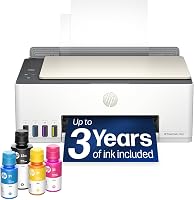
HP Smart Tank 5105 Review: Worth It? (November 2026)
The HP Smart Tank 5105 is worth buying for homes that print often and want low ink costs from bottled ink. Choose it for schoolwork, forms and light photo printing. Pick a laser printer instead if you print rarely or mostly need crisp black text in bulk.

On this page (7 sections)
The HP Smart Tank 5105 is a sensible buy for a household that prints regularly and wants ink costs to stay low. Bottled ink goes straight into refillable tanks, so you top up when a tank runs low instead of swapping cartridges every few weeks.
It's a good fit for school worksheets, forms, shipping labels and the odd photo. A laser printer makes more sense if your printing is rare or almost all black text in bulk.
The HP Smart Tank 5105 at a glance
This is a refillable ink tank all-in-one with print, scan and copy in one box. You fill the tanks from bottles, and the printer's printheads handle the actual output.
The 5105 sits in HP's Smart Tank 5100 family.
Our review focuses on how the printer runs day to day: filling tanks, printing from a phone and keeping the printheads clean. For the wider range of HP home models, the best HP printers for home use puts this printer in context.
The printer's job in the home is broad rather than specialist. It prints documents and photos, scans paper into your computer or phone, and copies forms without a separate machine.
That mix is what most households actually need, and it's why the tank design matters more than raw speed here.
Who should buy the Smart Tank 5105?
Buy it if your family prints a steady volume: homework, forms, return labels and a few photos each month. The tank system means a low ink bill per page compared with cartridge printers.
Skip it if you print once a month or less. Ink sitting in tanks and printheads for long stretches can dry out and clog, and cleaning cycles use ink.
If you need fast duplex black-text output at volume, a mono laser is the better tool. The Smart Tank 5105 earns its place as a home all-in-one for mixed printing, not as an office workhorse.
It also suits a small home office that prints color documents now and then, such as invoices with a logo or simple flyers. The flatbed scanner covers signed forms and ID copies, so the machine earns its desk space beyond printing alone.
Homes with a school-age child are the classic fit, since the weekly load is small but steady.
The specs that matter in daily use
The tank setup and the printheads are what define this printer in real use. Everything else supports them: the flatbed scanner for copies and scans, Wi-Fi for printing from a phone or laptop, and the ink bottles for refills.
The printheads are the parts that put ink on paper. HP ships the printer with them installed.
When print quality drops and cleaning no longer helps, you replace them. That's where a part like the XLhippo set above comes in.
Bottled ink is the bigger everyday story. Refillable tanks hold more ink than cartridges, and the bottles pour directly into the tanks.
You watch the levels and refill one color at a time instead of replacing a whole cartridge.
Our guide to HP Smart Tank ink covers which bottle goes in which tank, so you don't end up buying the wrong color.
The printer's rated page yield is quoted at 10,000, which tells you how much printing the hardware is built to handle over its life. That figure is a long-run number, not a monthly one.
It sets the expectation that the machine is meant to be used, not stored.
How printheads and ink tanks work together
The tanks store the ink; the printheads move it onto the page. Black text uses the black head, and color pages use the tri-color head.
A clogged head usually shows up as streaks or missing colors, not as a low tank.
That's why cleaning comes first when print quality drops. Run the printer's cleaning cycle once or twice and print a test page.
If color stays weak after that, the tri-color head is the likely part to replace.
The two heads are separate parts with separate jobs. A printer that prints fine in black but loses color is pointing at the tri-color head, while faded black text points at the black head.
Knowing which one is failing saves you from buying a set you don't need.
Setting up the HP Smart Tank 5105
Setup starts with the HP app, which walks you through filling the tanks and joining Wi-Fi. The printer arrives with its printheads already in place, so you don't handle them on day one.
Fill each tank to the line with the matching bottle. Take care to put the right color in the right tank, since a mix-up means a messy cleanup.
The app shows the fill order and the printer has labeled tanks.
Then connect the printer to your home network. The app finds it and completes the setup, and after that you can print from a phone, tablet or laptop on the same Wi-Fi.
Load paper in the tray and print a test page. Check that black text is solid and color blocks look even.
If anything streaks, run one cleaning cycle before you start regular printing.
Keep the setup guide and note which bottle went into which tank. It saves guesswork at the first refill.
Place the printer on a flat, stable surface near your router during setup. A weak Wi-Fi signal is the usual cause of a printer that drops off the network, so sort out the position before you blame the printer.
Once it's connected and the test page is clean, the daily routine is just sending jobs.
Printing from a phone and a computer
Phone printing runs through HP's app, so you can send a document from the couch or a photo from your camera roll. For computers, install the driver and the printer appears as a normal print destination.
Duplex printing matters for multi-page documents. Check the printer's settings before long print jobs so you don't waste paper on one-sided drafts.
Scanning and copying use the flatbed. That covers ID copies, school forms and receipts without a separate scanner.
A scan saved to your phone is often the fastest way to keep a copy of a form you have to hand back.
Keeping it running: ink, cleaning and printheads
Refill when a tank nears its low line, and keep a spare bottle of the color you use most. Bottled ink is cheap per page, and topping up early avoids a mid-job stop.
Print something at least once a week. A color page or a test sheet keeps ink moving through the printheads and cuts the chance of clogs.
A printer that sits idle for months is the main cause of printhead trouble.
When streaks appear, run the cleaning cycle from the printer menu or the HP app. Two cycles usually clear light clogs.
If quality stays poor, replace the affected printhead rather than buying a new printer.
The HP Instant Ink vs Smart Tank comparison explains why tank printers suit steady printers and subscription plans suit light ones.
Keep the printer out of direct sun and away from dust where you can. Dust settles on the printhead area and paper path, and a covered printer when it's not in use stays cleaner between jobs.
None of this is fiddly, but it's the difference between a printer that lasts and one that clogs.
When to replace a printhead
Replace a printhead when cleaning no longer restores output. Signs include missing color bands, faded black text that cleaning won't fix or a head that's been dry for a long time.
The XLhippo X4E75A and M0H50A set above pairs a black head with a tri-color head. Check your printer model first, because the combo pack only works with the listed Smart Tank printers.
Model numbers matter here, so match yours to the list before ordering.
The set covers a long list of Smart Tank models, including the 5100 series and the Smart Tank Plus 550, 570 and 650 families. A single head is also sold on its own and fits more printers, but the combo pack is tied to the models the maker lists.
That difference is why you check the model number before you buy, not after.
The trade-offs of an ink tank printer
The main trade-off is print speed and a learning curve on setup. Tank printers are built for low cost per page, not for the fastest output.
If you print long documents often, expect a slower pace than a laser.
The second trade-off is idle time. Ink in tanks and printheads can dry if the printer sits unused.
Homes that print a few pages most weeks are the sweet spot.
Third, printhead care is part of ownership. A cartridge printer throws away the head with each cartridge; a tank printer keeps the heads and asks you to keep them clean.
That's a small chore for the ink savings.
On the plus side, you refill less often and buy bottles rather than cartridges. The printer also covers scan and copy, so one machine handles the home paperwork pile.
The filling step itself takes a little care the first time, and after that it's routine.
Alternatives to the HP Smart Tank 5105
If the Smart Tank 5105 doesn't match your printing habits, these two directions cover most buyers. One is a cartridge printer for light use.
The other is an HP tank model that's close in concept but worth comparing on tanks and features.
For light printing and subscription ink
A cartridge printer paired with an ink subscription suits homes that print only occasionally. The printer is usually cheaper up front and the plan ships cartridges before you run out.
The catch is a higher cost per page over years of steady printing.
If you print rarely and want zero fuss, that model is the simpler pick. Read what is a HP Smart Tank printer to see how the tank system differs before you decide.
For a different tank configuration
HP sells several Smart Tank models with different tank counts, paper handling and connectivity. If you want a specific feature set, compare those first.
The 5105 is a solid middle choice for a home that prints color and black text in normal volume.
Some buyers need a different balance, such as a model tuned for photo output or one with a larger paper capacity. Those are worth checking against your actual job mix before you commit to the 5105.
The tank idea stays the same across the family, so the decision usually comes down to features rather than ink cost.
Verdict: should you buy the HP Smart Tank 5105?
Buy the HP Smart Tank 5105 if your home prints regularly and you want bottled ink costs. It handles schoolwork, forms and everyday photos in one machine, and refilling from bottles beats buying cartridges.
Skip it if your printer would sit unused for weeks. A cheap cartridge printer or a mono laser fits that pattern better.
For heavy black-text jobs, a laser wins on speed.
Our HP Smart Tank 5105 review lands here: a good home all-in-one for steady, mixed printing. Buy it when low ink cost matters more than speed.
Compare the HP tank models if you need a different size or feature set.
For buyers who end up replacing a printhead, keep the model number handy and order the matching set. That's the one part that keeps an ink tank printer running for years.
Frequently asked questions
Is the HP Smart Tank 5105 good for photos?
Yes for everyday photos. The tri-color tank and the printer's print settings handle glossy paper, so you can print snapshots and school projects without a separate photo printer.
Fine art and gallery prints are better left to a dedicated photo model with more ink colors.
How often do you refill the ink tanks?
Not often if you print at a typical home pace. Bottled ink lasts far longer than small cartridges, so many homes refill only a few times a year.
Your actual refill point depends on how much you print and whether you print color or mostly black text.
Can you print from a phone to the Smart Tank 5105?
Yes. HP's app handles phone printing and setup over Wi-Fi, so you can send a document or photo from a phone or tablet.
Check that the printer and your phone share the same network before you start.
What should you do if the Smart Tank 5105 stops printing in color?
Run the printer's cleaning cycle from its menu or the HP app first. If quality stays poor after a couple of attempts, the tri-color printhead is the likely part to replace.
The XLhippo X4E75A and M0H50A set is made for the Smart Tank 5100 series.
Do you need to replace the printhead on a new Smart Tank 5105?
No. A new printer comes with its printheads installed and ready.
You only buy a replacement when cleaning no longer restores print quality, so most owners go a long time before they need one.