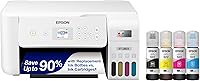
Are Ink Tank Printers Good for Photos?
Yes, ink tank printers are good for photos when you choose a photo-focused model and use suitable photo paper. They combine low refill costs with strong color output, but print quality depends on the ink system, paper, image file, and maintenance.
On this page (9 sections)
- Are ink tank printers good for photos compared with cartridges?
- What makes an ink tank printer good for photos?
- Which ink tank printer is best for photo quality?
- Is the Epson ET-8500 good for home photo printing?
- Can an office ink tank printer print good photos?
- Is photo printing cheaper with an ink tank printer?
- How should you print photos on an ink tank printer?
- How do you maintain an ink tank photo printer?
- Are ink tank printers good for photos for most home users?
Yes, ink tank printers are good for photos when the printer uses a photo-focused ink set and suitable paper. They deliver strong color, sharp detail, and lower refill waste than cartridge printers, especially when you print photos often.
The best choice depends on your images. A six-color photo tank offers more color tools for detailed work, while a four-color office tank focuses more on documents.
Are ink tank printers good for photos compared with cartridges?
Ink tank printers are a strong choice for frequent photo printing because refill bottles keep ink costs more manageable over many pages. Cartridge printers can work well for occasional snapshots, but replacing several small cartridges becomes less appealing as photo volume grows.
A tank printer stores ink in refillable reservoirs instead of using a new cartridge for each color. That reduces cartridge waste and keeps more ink ready for longer print runs.
Photo quality also depends on the printhead, ink colors, paper surface, image resolution, and print settings. A basic office tank can produce useful color photos, but a photo tank with extra colors is designed for more detailed images.
The Epson EcoTank Photo ET-8550 and ET-8500 use six-color Claria ET Premium inks. The Canon MAXIFY GX2020 uses cyan, magenta, yellow, and black pigment-based ink bottles.
If you are choosing a printer for home use, decide whether photos are a main job or an occasional extra.
What makes an ink tank printer good for photos?
A good photo ink tank combines a photo-oriented ink system, accurate color output, suitable paper handling, and a refill design for regular use. It should also match the size of your photos and creative projects.
The two Epson Photo models use six-color Claria ET Premium inks with photo black, black, cyan, magenta, yellow, and gray bottles. Extra colors can help create smoother changes between shades.
Paper size matters. The ET-8550 supports media up to 13 x 19 inches, making it suitable for large photos, artwork, and posters.
The ET-8500 also supports media up to 13 x 19 inches, while its description highlights borderless prints up to 8.5 x 11 inches.
A scanner and copier are useful for old family photos and creative work. The ET-8550 includes both, while the ET-8500 includes a copier.
The Canon MAXIFY GX2020 offers a different balance with a 2.7-inch color touchscreen, automatic 2-sided printing, a 35-sheet automatic document feeder, and wireless print, copy, scan, and fax functions.
Does ink color count matter for photos?
More ink colors give a photo printer more ways to reproduce subtle shades. A six-color printer is not automatically better for every job, but a photo-focused system is a clearer fit for detailed images.
Which ink tank printer is best for photo quality?
The Epson EcoTank Photo ET-8550 is the best pick here for photo-focused work because it combines six-color photo ink with printing up to 13 x 19 inches. It is the strongest match for large photos, graphics, and creative projects.
The ET-8550 prints borderless 13 x 19-inch photos and supports cardstock and other media up to 1.3 mm thick. Its all-in-one design includes scanning and copying.
Epson describes its Claria ET Premium six-color system as producing vibrant colors and sharp text. The printer includes photo black, black, cyan, magenta, yellow, and gray ink bottles.
Its ink setup suits regular printing. Epson says one set of replacement bottles can support up to 2 years of ink under stated usage conditions, and a 4 x 6-inch photo is estimated at about 4 cents with replacement ink.
The trade-off is its larger footprint. It measures 29.8 inches deep, 20.6 inches wide, and 16.9 inches high.
Is the Epson ET-8500 good for home photo printing?
The Epson EcoTank Photo ET-8500 is a good choice when you want six-color output but do not need the ET-8550's wide-format emphasis. It handles photos, graphics, documents, cardstock, envelopes, CDs, and DVDs.
The ET-8500 uses Epson's Claria ET Premium six-color ink system. Its included bottles cover photo black, black, cyan, magenta, yellow, and gray.
Its 4.3-inch touchscreen provides direct control for common tasks. Wi-Fi and Wi-Fi Direct support printing from laptops, PCs, and smartphones.
The printer measures 24.1 inches deep, 15.9 inches wide, and 13.7 inches high, making it easier to place in a home office or craft room than the ET-8550.
It also handles automatic 2-sided printing and includes a copier. It is a practical choice for family pictures, invitations, and artwork.
Can an office ink tank printer print good photos?
Yes, an office-focused ink tank printer can print useful photos, but it suits mixed document and image work better than dedicated photo output. The Canon MAXIFY GX2020 fits a home office that prints color documents, occasional photos, and multi-page paperwork.
The GX2020 uses cyan, magenta, yellow, and black pigment-based ink bottles. Its main advantage is office utility rather than a dedicated photo layout.
Canon says it can print up to 3,000 black-and-white pages and 3,000 color pages with one set of ink. It also includes automatic 2-sided printing, a 35-sheet automatic document feeder, and paper capacity of up to 250 sheets.
That feature mix suits forms, reports, school work, and color handouts. Its media support includes photo paper, envelopes, banners, and other sizes.
The GX2020 measures 14.8 inches deep, 15 inches wide, and 8.9 inches high. Choose it when office tasks come first and photos are secondary.
Is photo printing cheaper with an ink tank printer?
Ink tank photo printing is usually cheaper to refill than cartridge printing when you print often. Paper and maintenance still affect the final cost of each photo.
The Epson ET-8550 and ET-8500 describe 4 x 6-inch photo printing at about 4 cents with replacement ink, compared with about 40 cents using traditional cartridges. Actual results vary with image coverage, paper, cleaning cycles, and settings.
The bottle system also reduces replacement frequency. Epson says the ET-8550's replacement bottles do not need to be changed nearly as often as cartridges, and each replacement bottle set is equivalent to about 100 individual cartridges.
Canon's GX2020 focuses on page yield, with up to 3,000 black-and-white or 3,000 color pages from one set of inks. That is useful for mixed office printing, while the Epson models provide a direct photo-cost estimate.
Paper can become the larger expense. Large prints, heavyweight sheets, premium finishes, and failed prints raise costs even when refills are inexpensive.
For storage questions, see does printer ink expire.
How should you print photos on an ink tank printer?
Use inkjet photo paper, choose the correct paper setting, and let each print dry before stacking it. These steps help the printer place the right amount of ink on the paper.
Start with a high-resolution image that matches the final print size. A compressed image cannot gain detail simply because the printer has high print resolution.
Choose glossy paper for stronger contrast and bright color. Matte paper gives a softer look for art prints, invitations, and crafts.
Heavier media can suit creative work, but the printer must support its thickness.
Use photo or best-quality mode when detail matters. Draft and standard modes are better for proof prints.
Borderless printing is useful for full-bleed photos. The ET-8550 supports borderless 13 x 19-inch photos, while the ET-8500 supports borderless prints up to 8.5 x 11 inches.
Is dye ink or pigment ink better for photos?
Dye ink is often associated with vivid photo color, while pigment ink suits document output and a different approach to color durability. The right choice depends on whether your priority is photo appearance, office pages, or both.
The Epson Photo models use Claria ET Premium six-color inks. The Canon GX2020 uses pigment-based cyan, magenta, yellow, and black ink bottles.
Read dye ink vs pigment ink printer before choosing between a photo-focused tank and an office-focused tank.
How do you maintain an ink tank photo printer?
Print regularly, keep the printer clean, and refill the tanks carefully. Routine use helps prevent long idle periods from causing clogged nozzles or uneven color.
Print a small color page when the printer has been idle. Include black, cyan, magenta, yellow, and gray areas so you can spot a missing color before a large photo job.
Use nozzle checks and cleaning functions when output shows lines, gaps, or missing colors. Repeated cleaning uses ink, so run it when quality needs attention.
Keep dust and paper scraps away from the feed path. Store photo paper flat, and refill each tank with the correct color.
Epson strongly recommends genuine ink for the ET-8550, stating that non-genuine ink can damage the printer in a way its limited warranty does not cover.
Our guide to how to maintain an ink tank printer covers cleaning, idle periods, refills, and print-quality fixes.
Are ink tank printers good for photos for most home users?
Yes, ink tank printers are good for photos for households that print regularly and want lower refill waste over time. The best model depends on photo quality, print size, office features, and available space.
Pick the Epson EcoTank Photo ET-8550 for the strongest photo-focused option here, especially for prints up to 13 x 19 inches. Its six-color system, scanner, copier, and creative media support give it the broadest photo role.
Choose the Epson EcoTank Photo ET-8500 for similar six-color photo printing in a smaller body. It suits family photos, invitations, graphics, and creative projects.
Choose the Canon MAXIFY GX2020 when documents, duplex pages, scanning, faxing, and multi-page copying matter more than dedicated photo color. Its four-color pigment-based system fits mixed office work.
The simple rule is clear: choose a six-color Epson Photo model for frequent photos, or the Canon MAXIFY GX2020 when office printing leads and photos are secondary.
Frequently asked questions
Do ink tank printers dry out?
Ink tank printers can develop print-quality problems when they sit unused for long periods, especially if no maintenance cycle is run. Printing a small color page regularly helps keep the ink system active, while proper storage and cleaning protect the printhead.
What paper should you use with an ink tank photo printer?
Use photo paper designed for inkjet printers, matched to the finish and weight your printer supports. Glossy paper emphasizes color and contrast, while matte paper gives a softer surface for artwork, invitations, and other creative projects.
Are ink tank printers better than cartridge printers for photos?
Ink tank printers are better for frequent photo printing because refill bottles reduce the need to replace small cartridges. Cartridge printers can still suit occasional printing, especially when compact size matters more than long-run ink use.